 Badger
Call-backs and Badger's suggestions
Step 1: Tell Badger you'll ring someone and the call-back waits on Today until it's due — under Your call-backs.
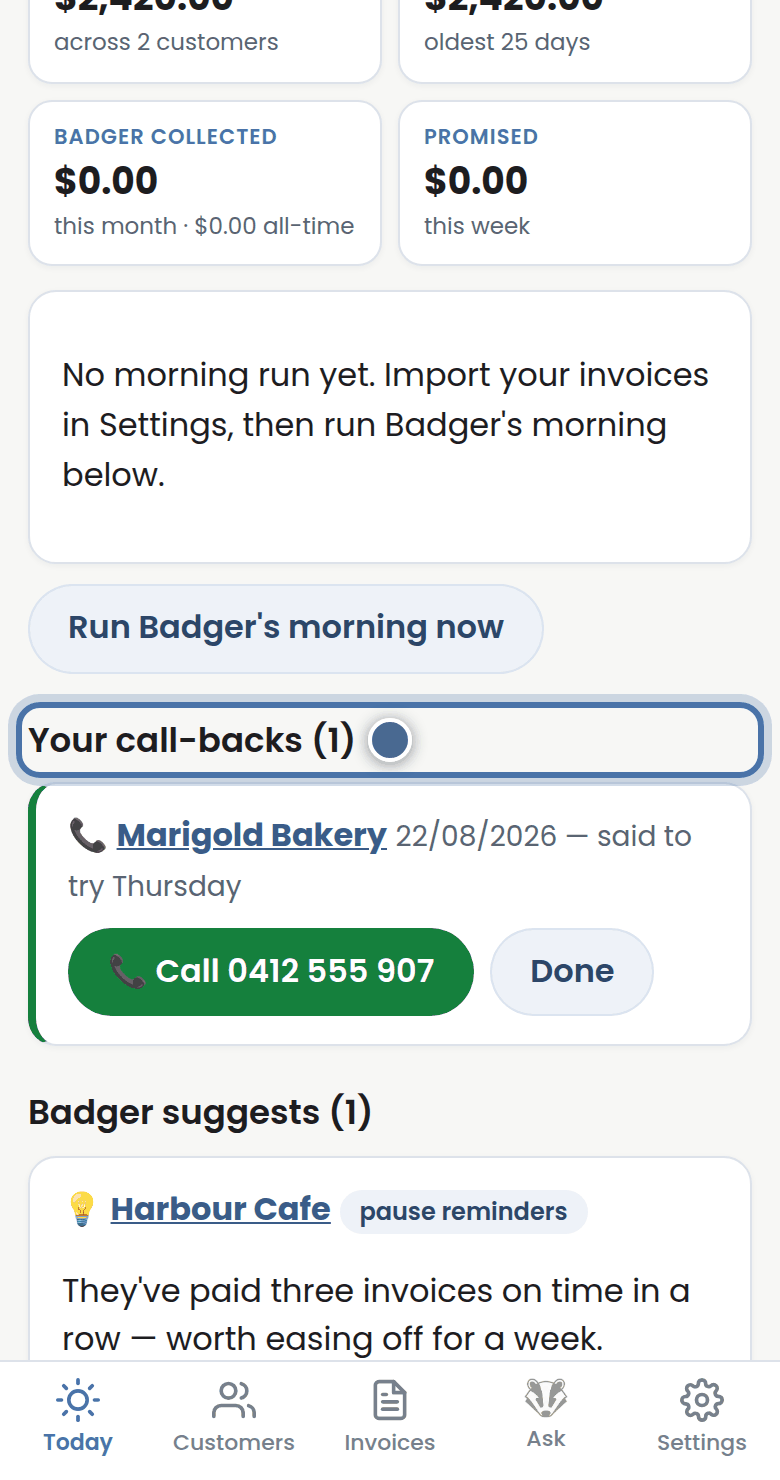
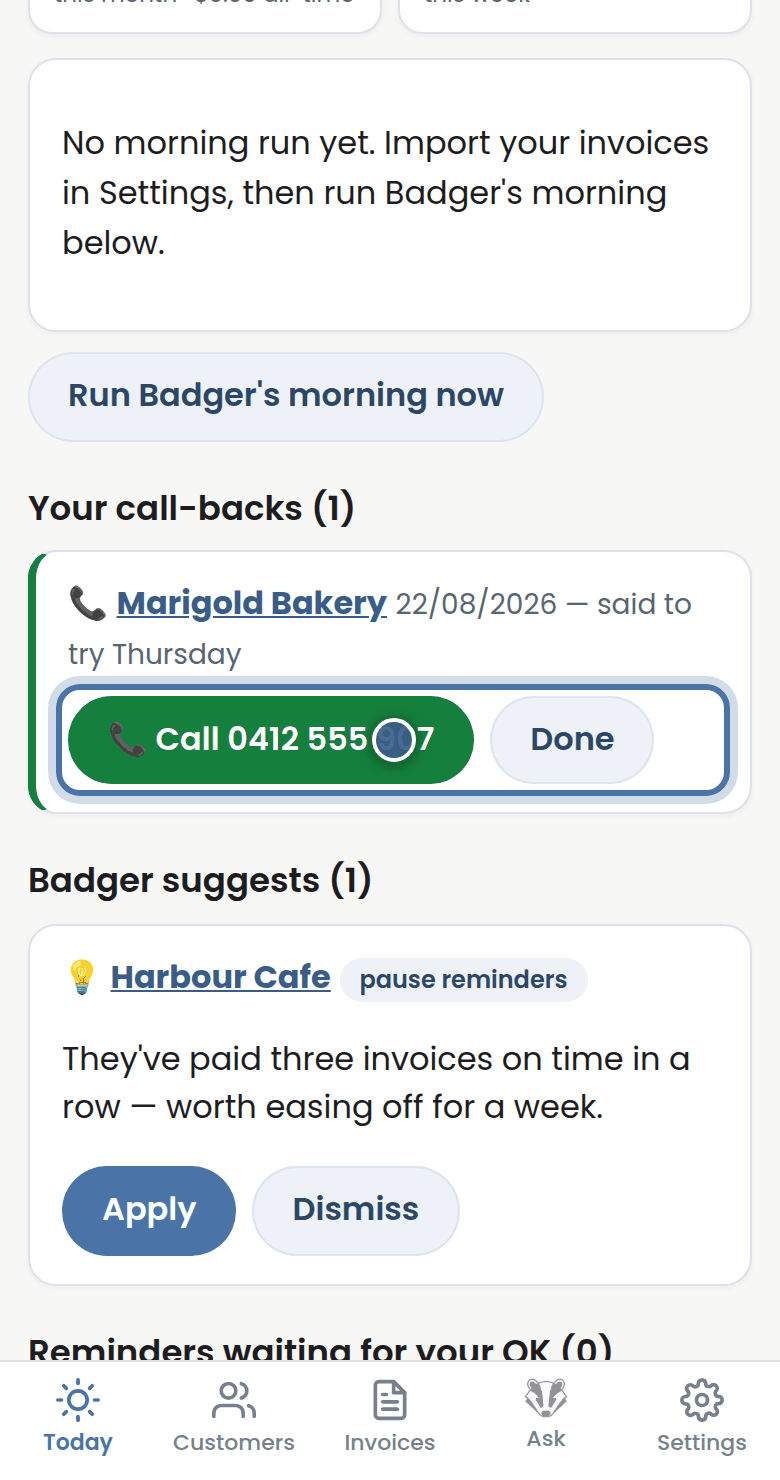
Step 2: Made the call? Press Done and it's off your list — or use Call now and tell Badger how it went.
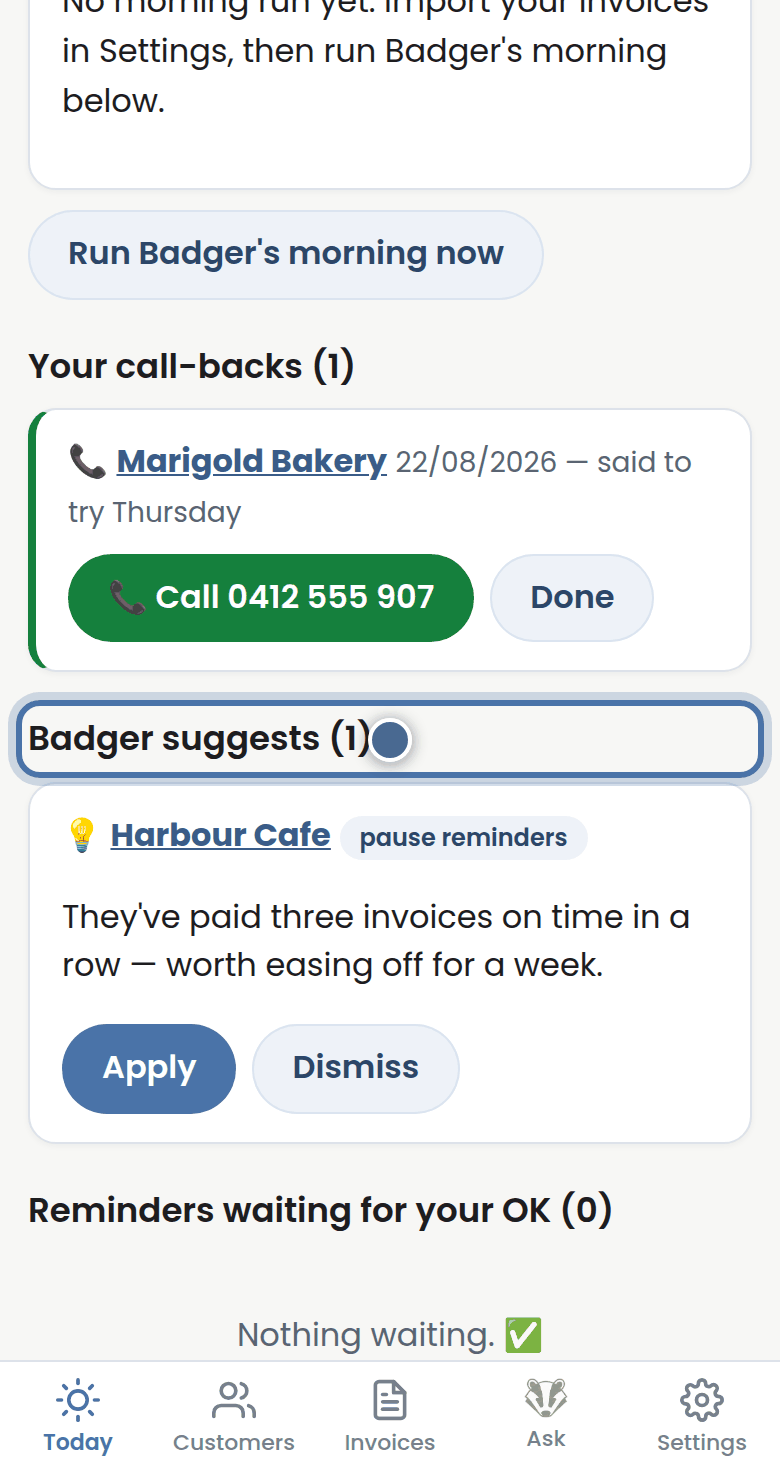
Step 3: Badger suggests is Badger spotting something worth doing — like giving a good customer a bit of breathing room.
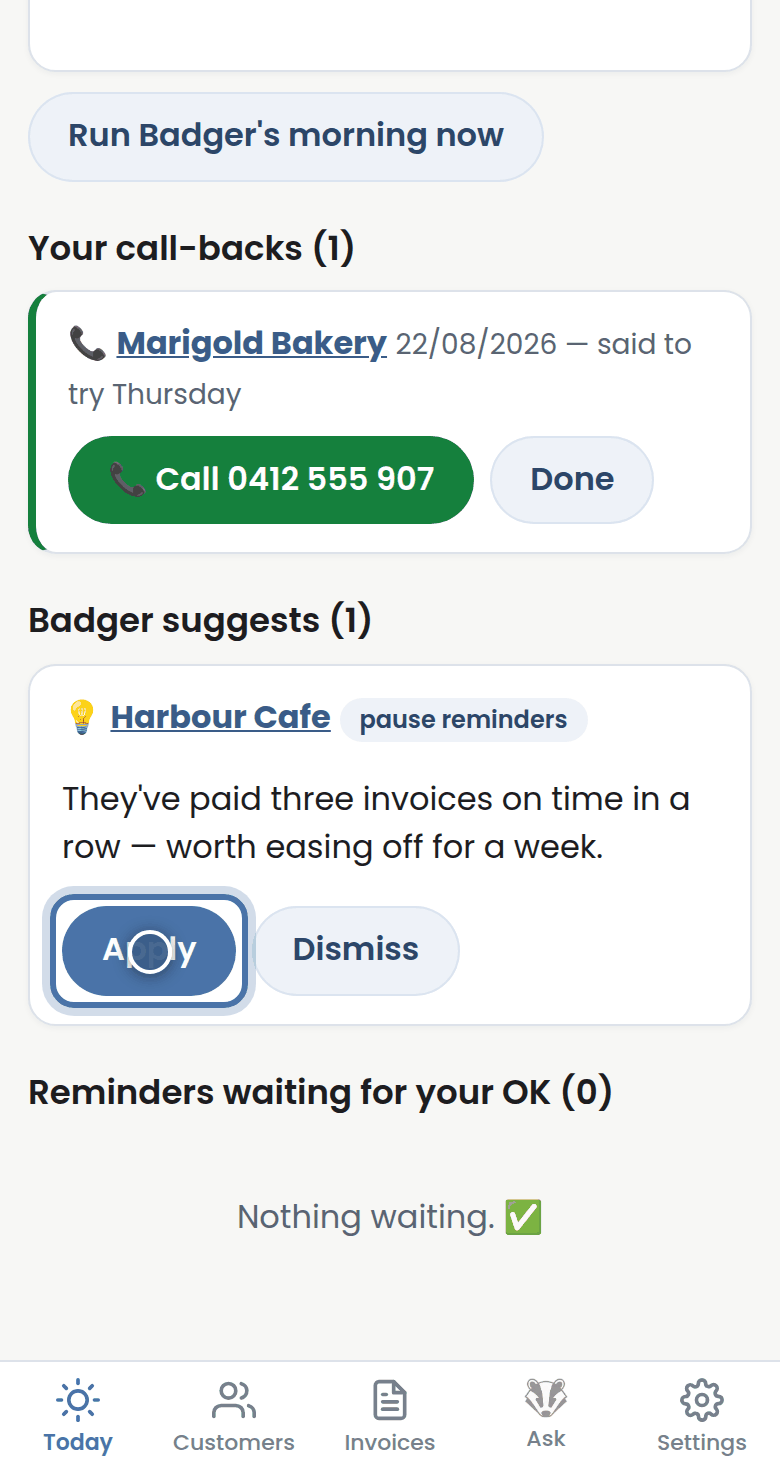
Step 4: Press Apply to let Badger do it, or Dismiss to wave it away. Nothing happens without you.
More tutorials
Getting started with Badger
The Today page
Approving from your inbox
Handling customer replies