 Badger
Getting paid by card
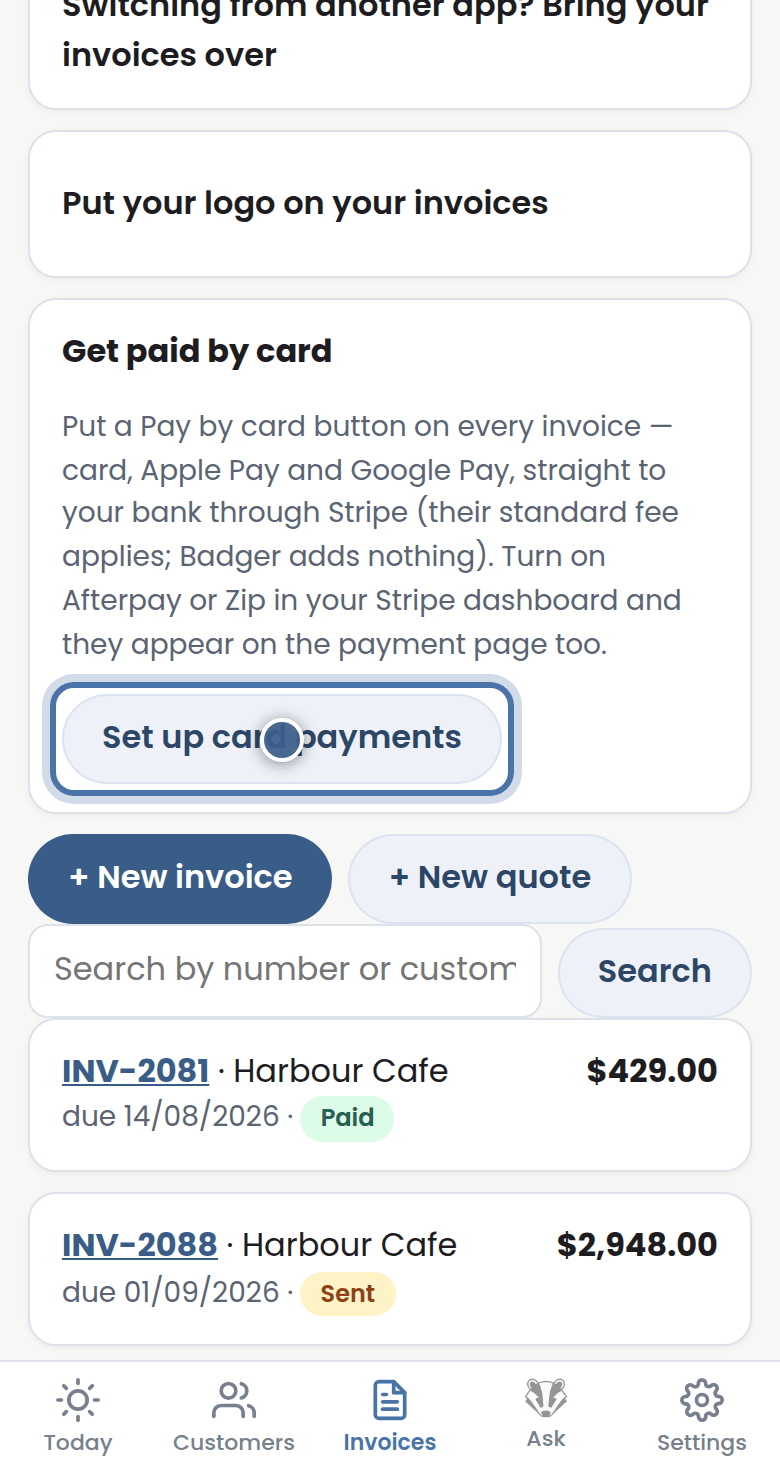
Step 1: Press Set up card payments on the Invoices tab — a short Stripe setup, paid straight into your own bank account.
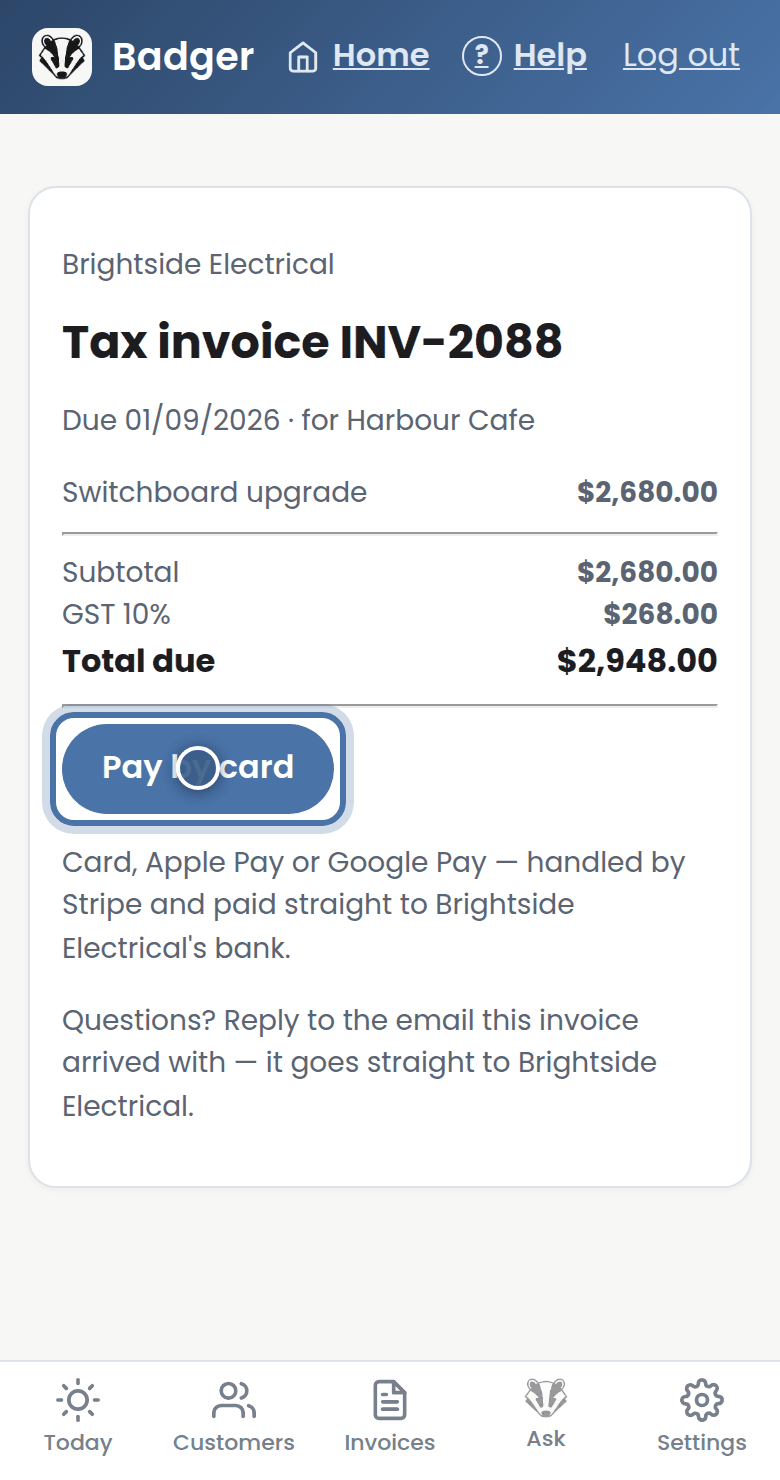
Step 2: From then on every invoice's online page has a Pay by card button — card, Apple Pay, or Google Pay.
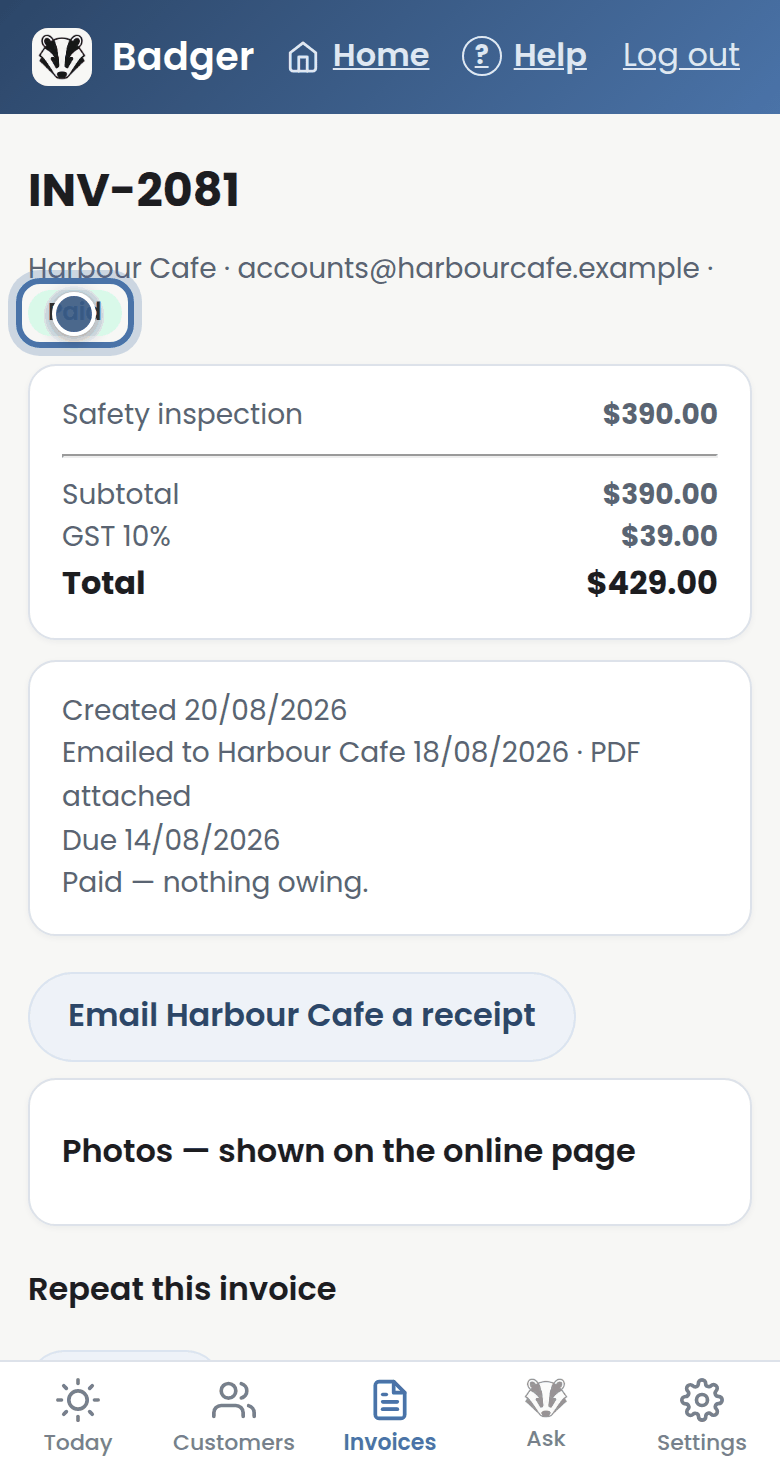
Step 3: A card payment marks the invoice paid by itself — and Badger never chases a paid invoice.
More tutorials
Getting started with Badger
The Today page
Approving from your inbox
Handling customer replies