 Badger
Your customer list
Step 1: The Customers tab lists everyone in your book, biggest balance first.
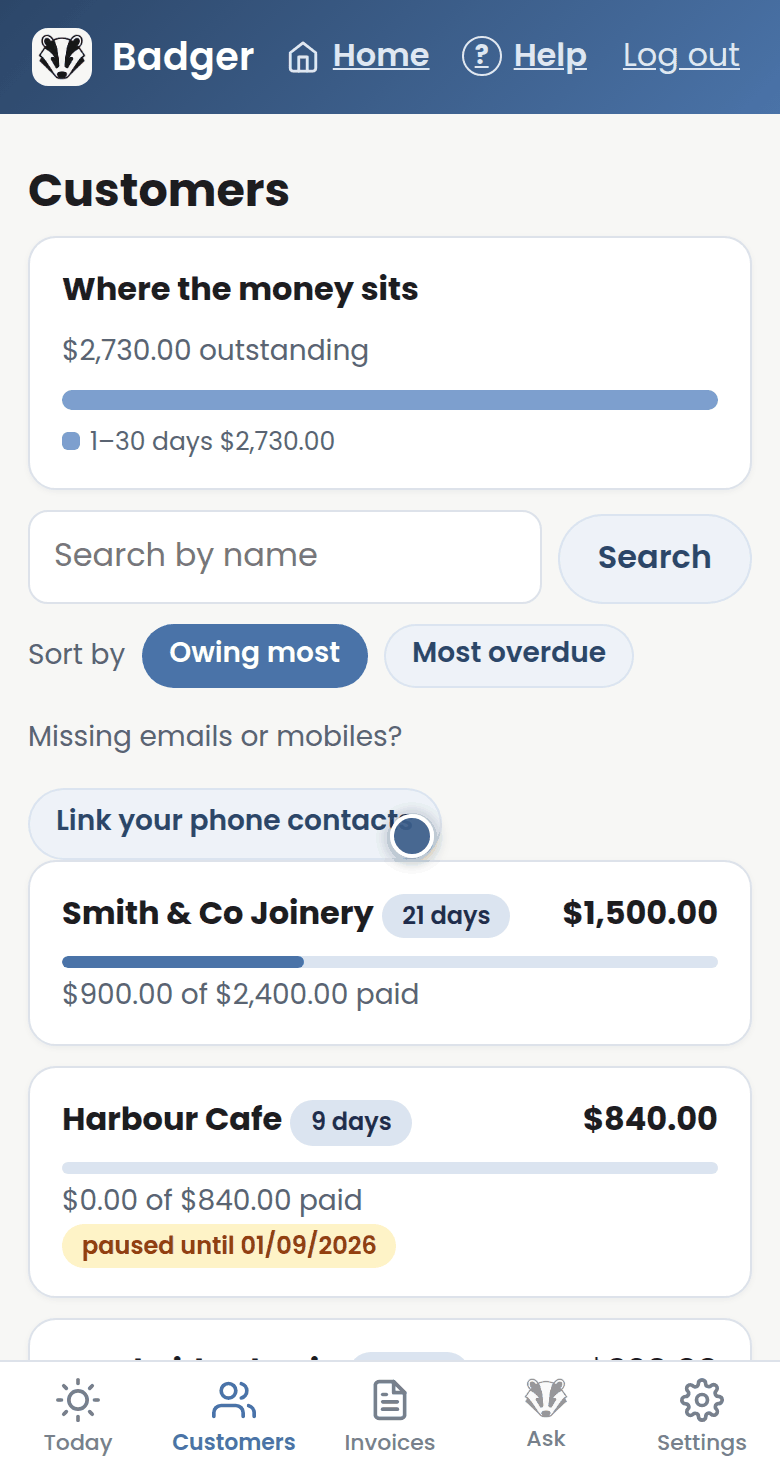
Step 2: Each card shows what's owing and how much has already been paid.
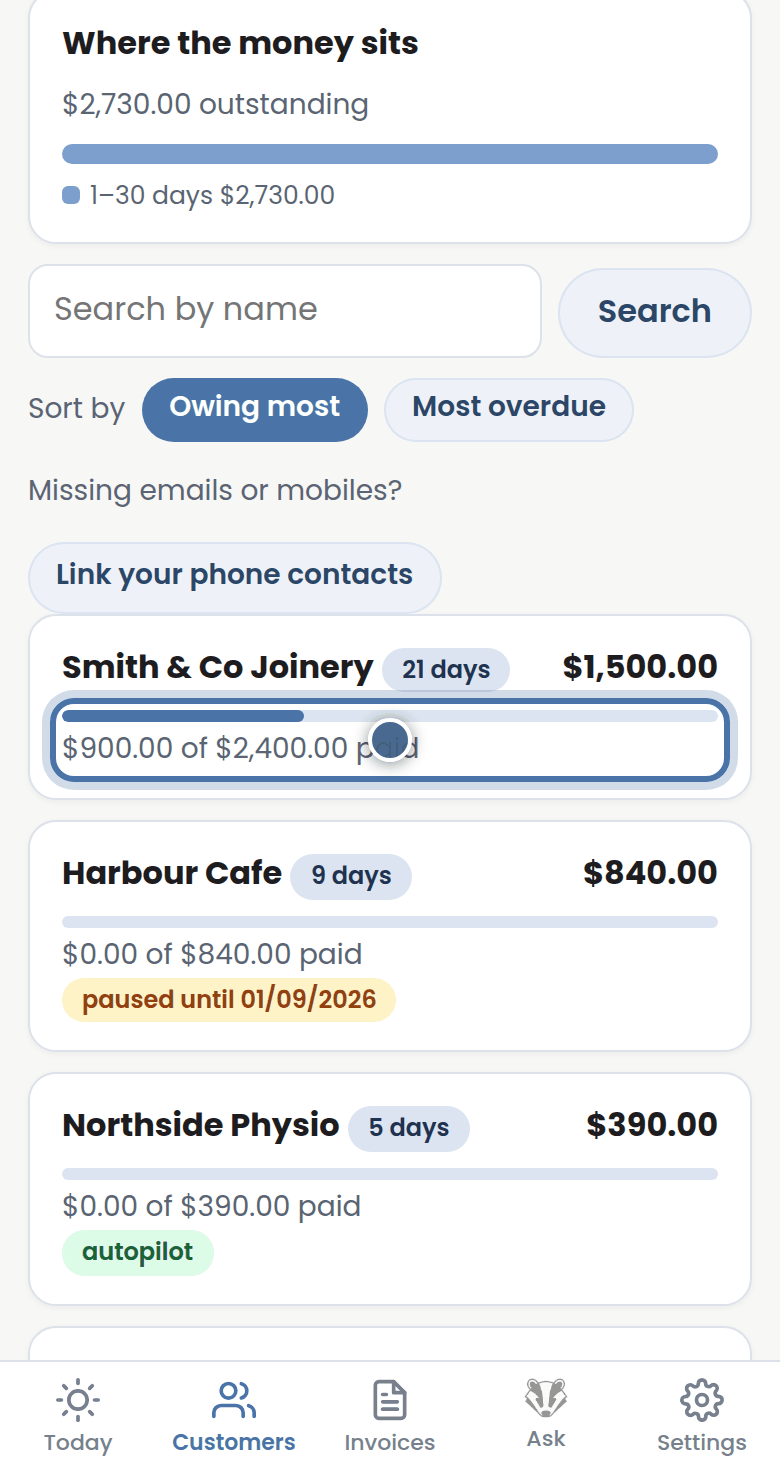
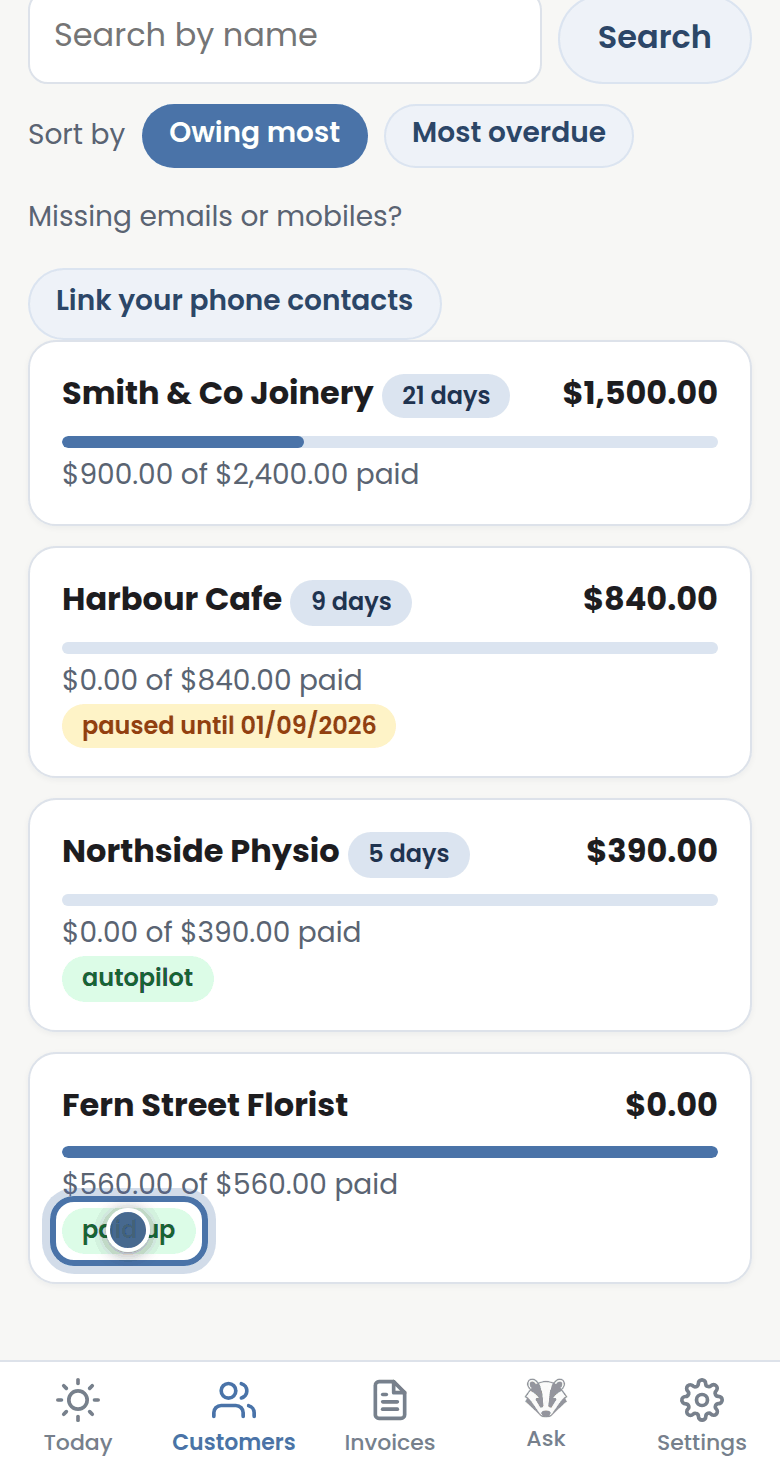
Step 3: The little pills tell you who's paused, on autopilot, paid up, or has asked us to stop.
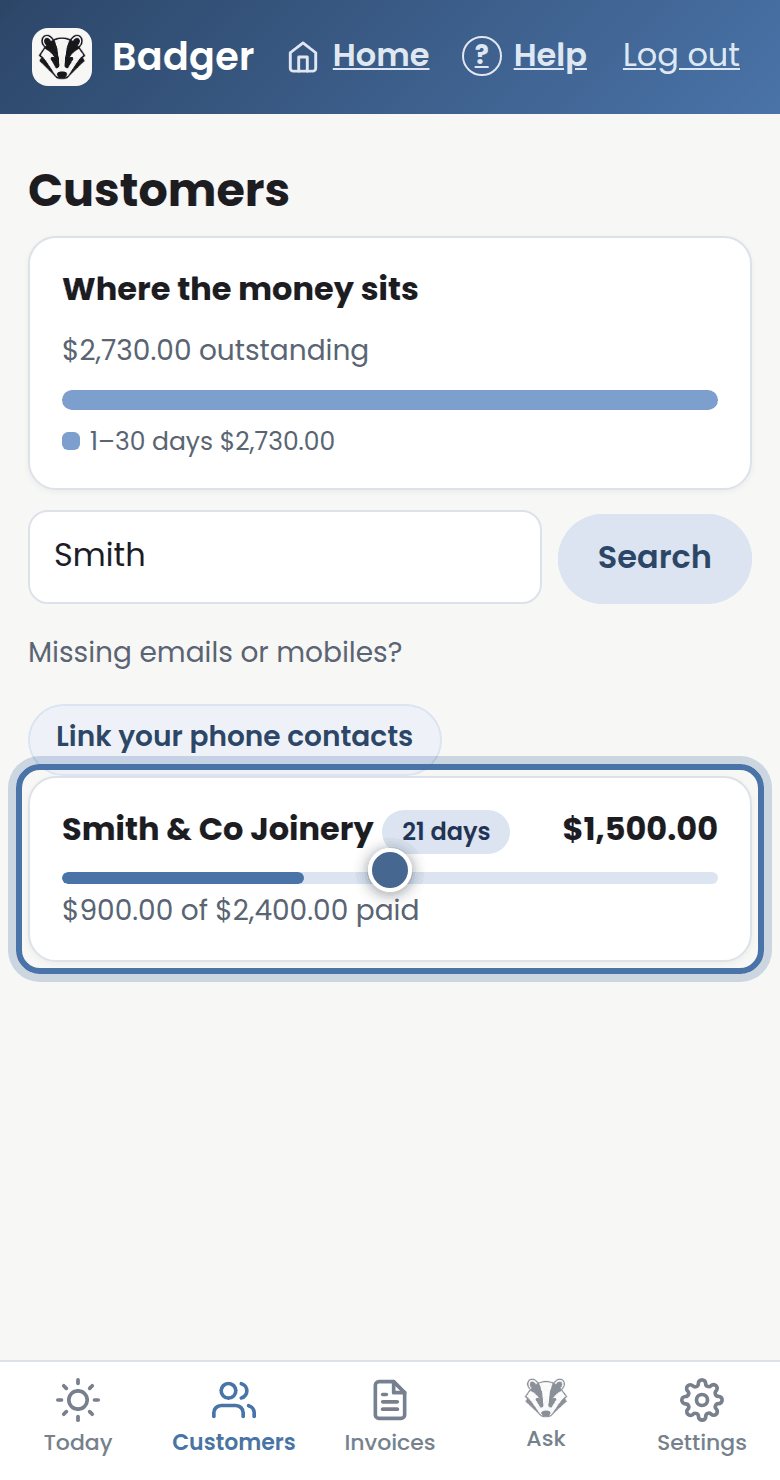
Step 4: Use search to find someone fast, and tap any card to open their full picture.
More tutorials
Getting started with Badger
The Today page
Approving from your inbox
Handling customer replies