 Badger
Approving from your inbox
Step 1: Each morning Badger emails you the brief. A button in that email opens your own approval page — no login needed.
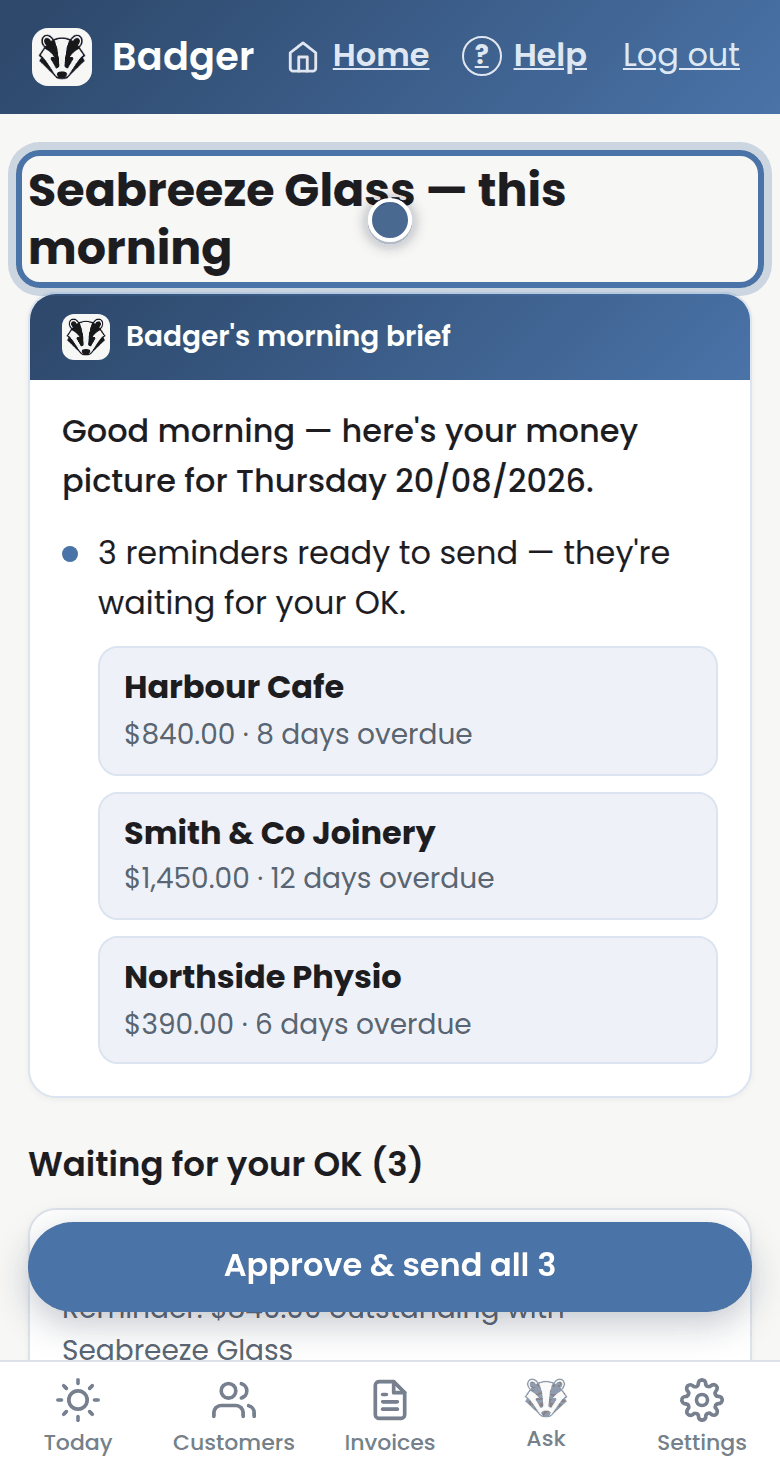
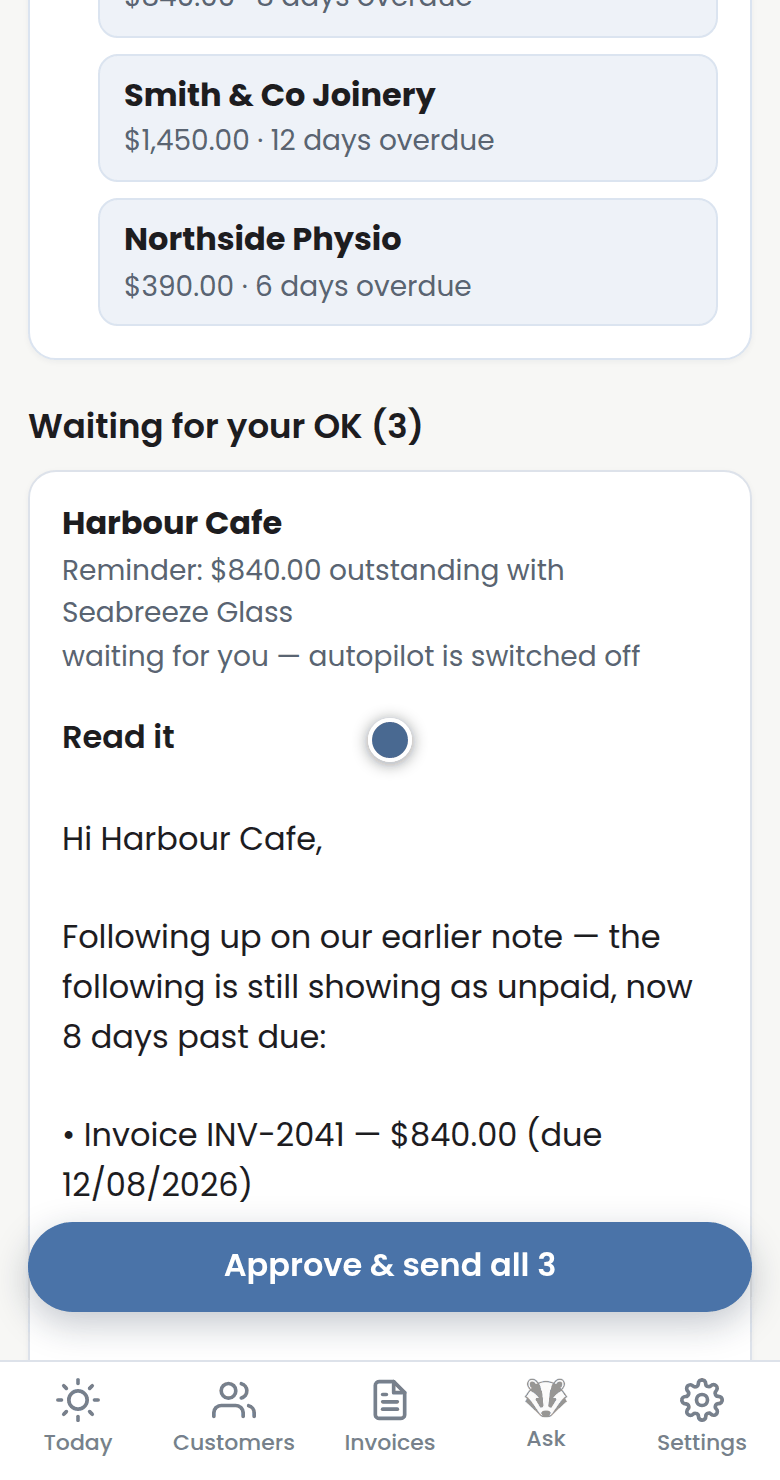
Step 2: Waiting for your OK lists every reminder queued that morning. Press Read it to see any of them word for word.
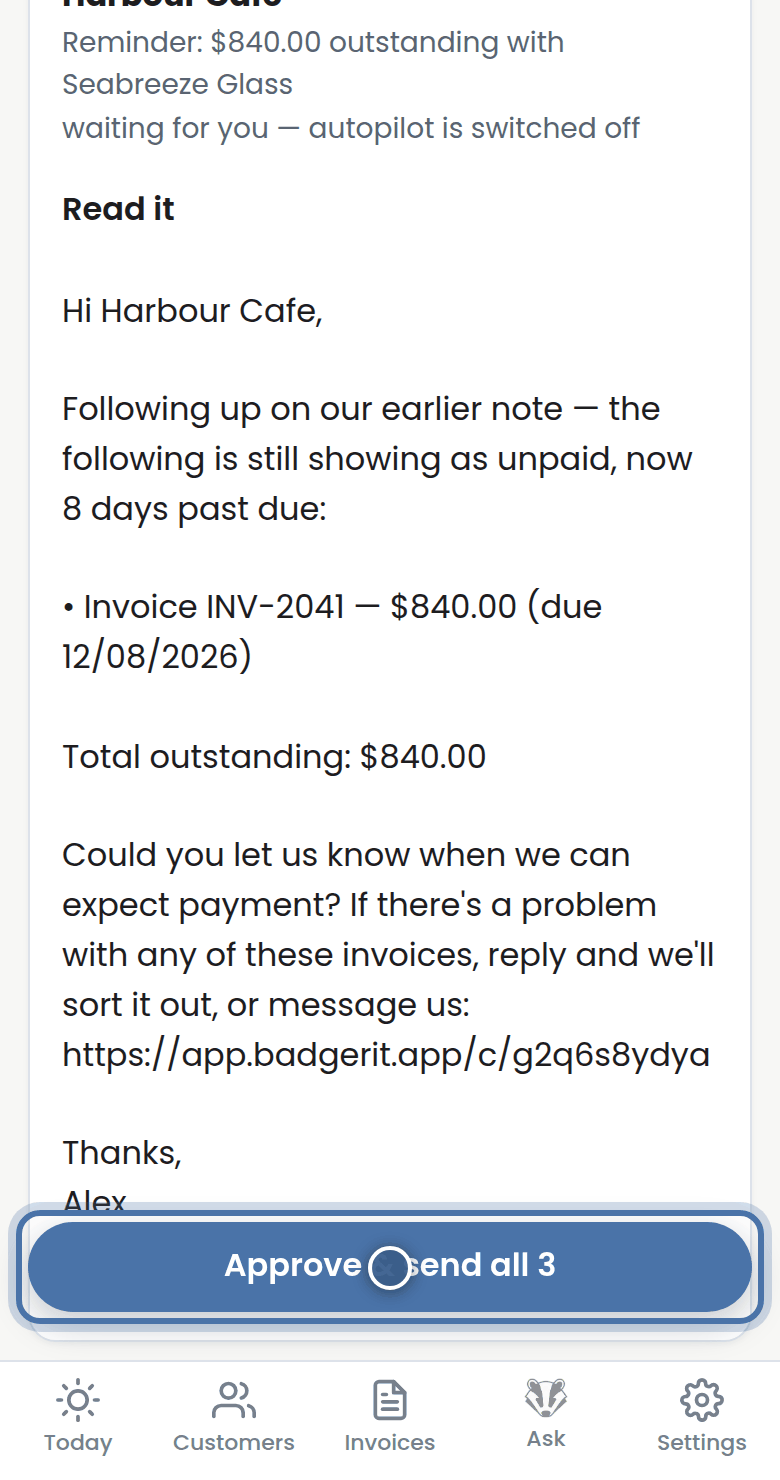
Step 3: One press of Approve & send all sends the lot. Anything paid or paused since the email went out is skipped automatically.
More tutorials
Getting started with Badger
The Today page
Handling customer replies
Call-backs and Badger's suggestions