 Badger
Payment plans
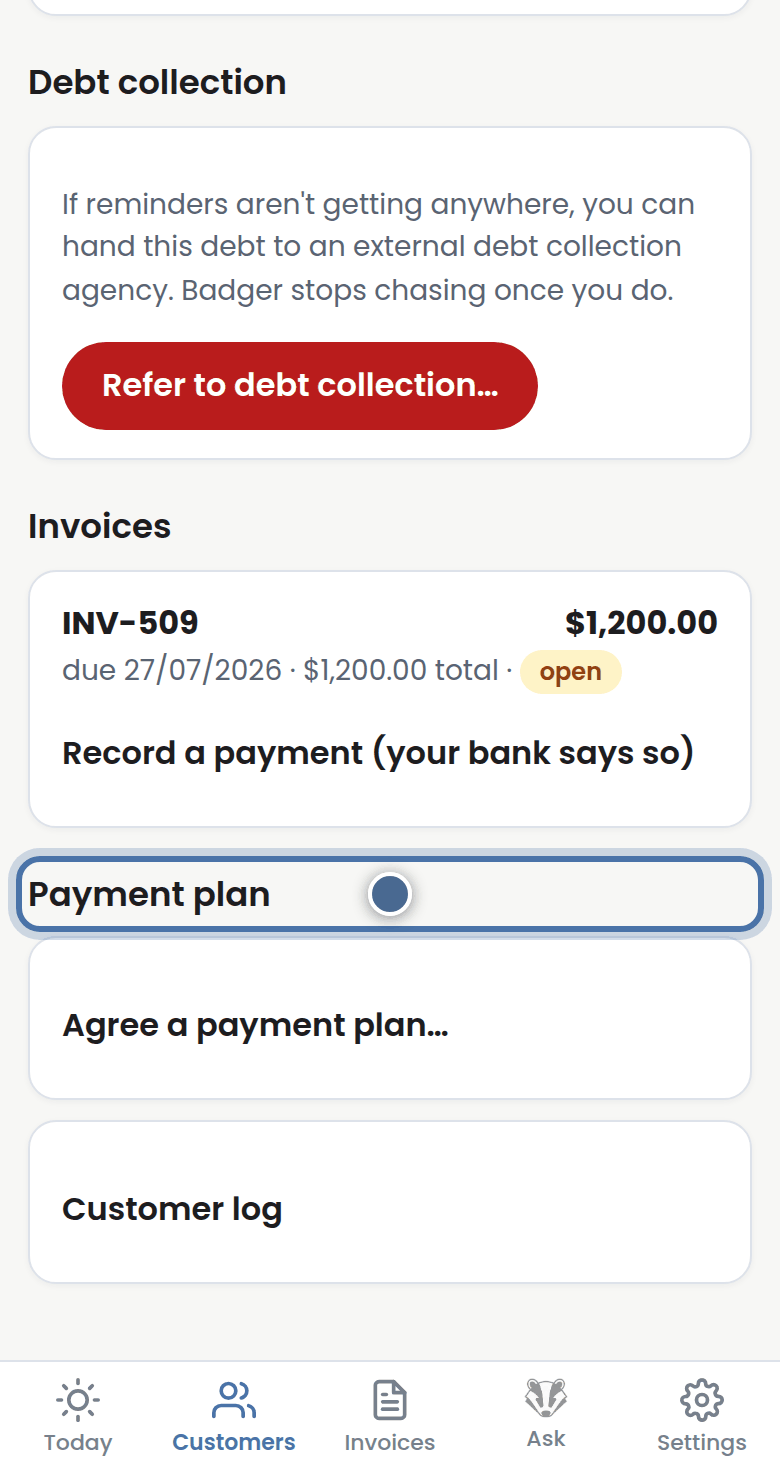
Step 1: If a customer can't pay all at once, agree a payment plan from their page.
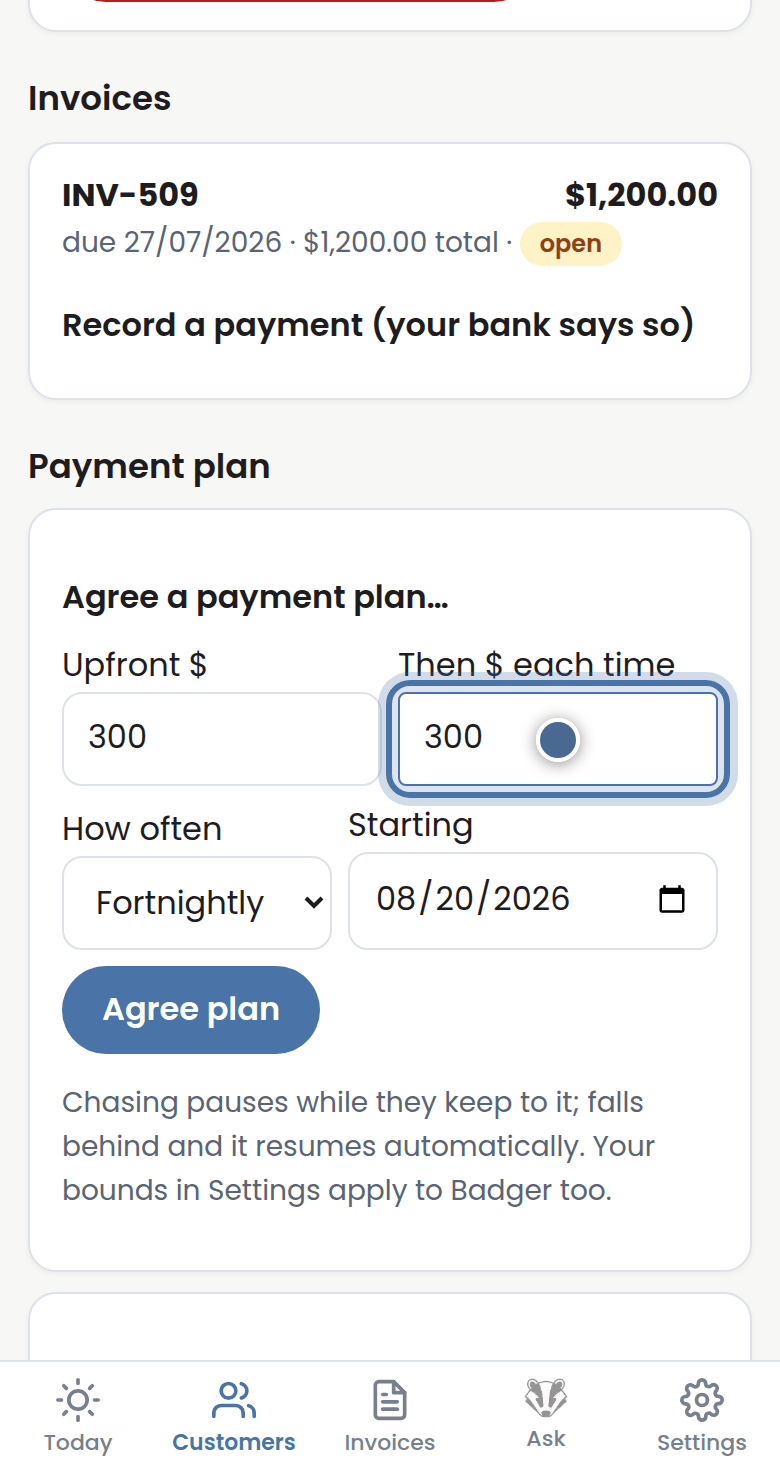
Step 2: Open Agree a payment plan, then set the upfront amount, the instalment, how often, and the start date.
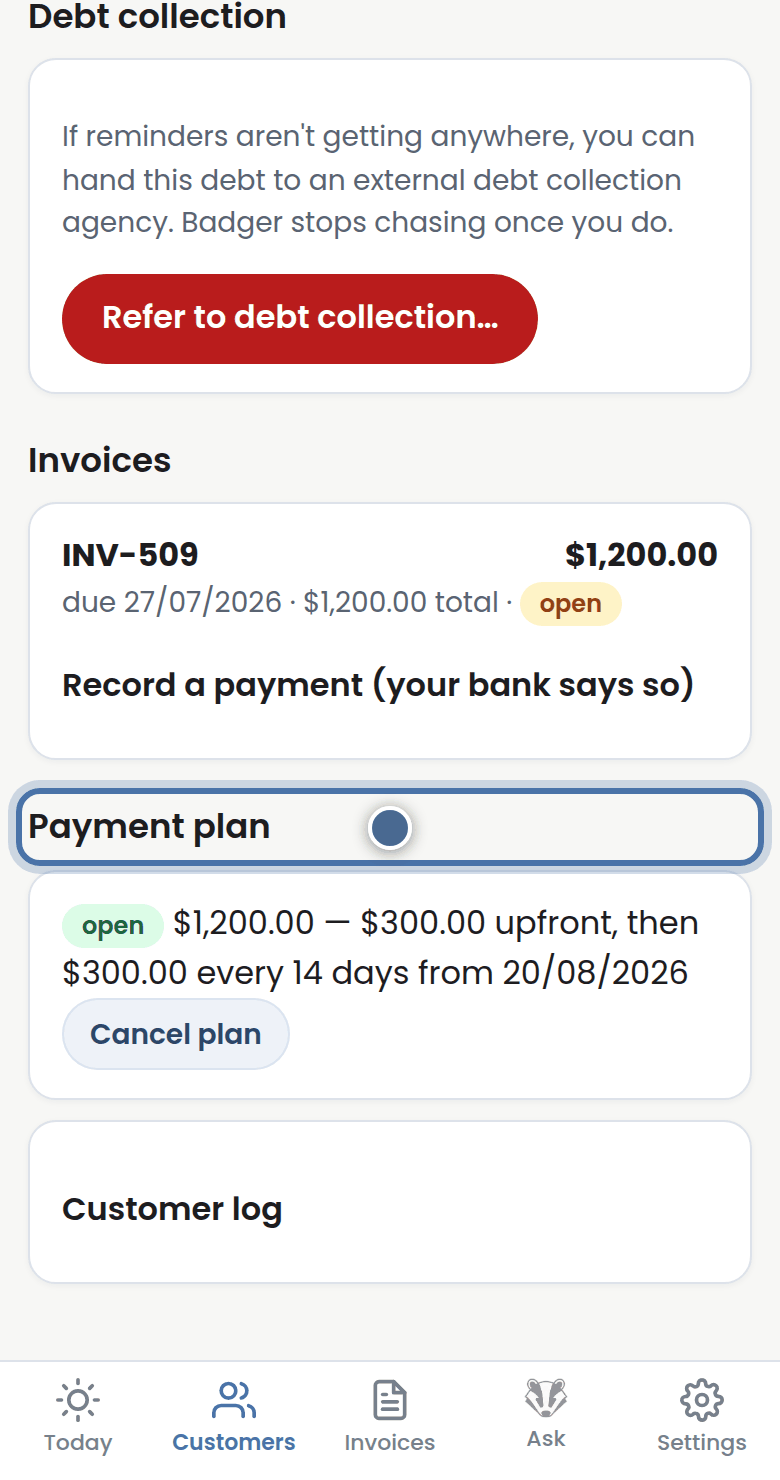
Step 3: While the plan stays on track, Badger stops chasing.
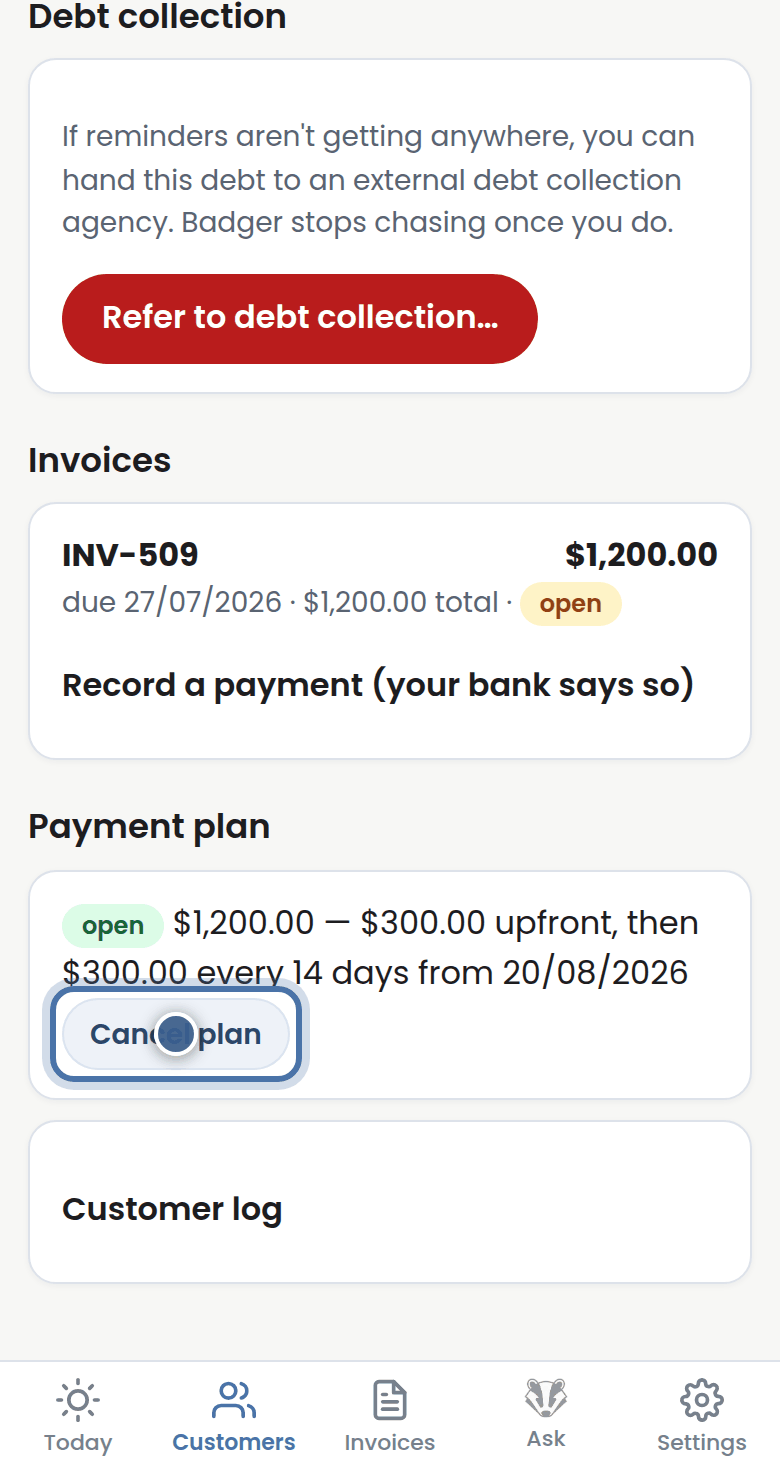
Step 4: If they fall behind, the plan breaks: chasing resumes and you'll hear about it. You can cancel a plan from the same card.
More tutorials
Getting started with Badger
The Today page
Approving from your inbox
Handling customer replies