 Badger
Quotes that turn into invoices
Step 1: Press New quote on the Invoices tab. A quote works just like an invoice — but nothing's owed yet.
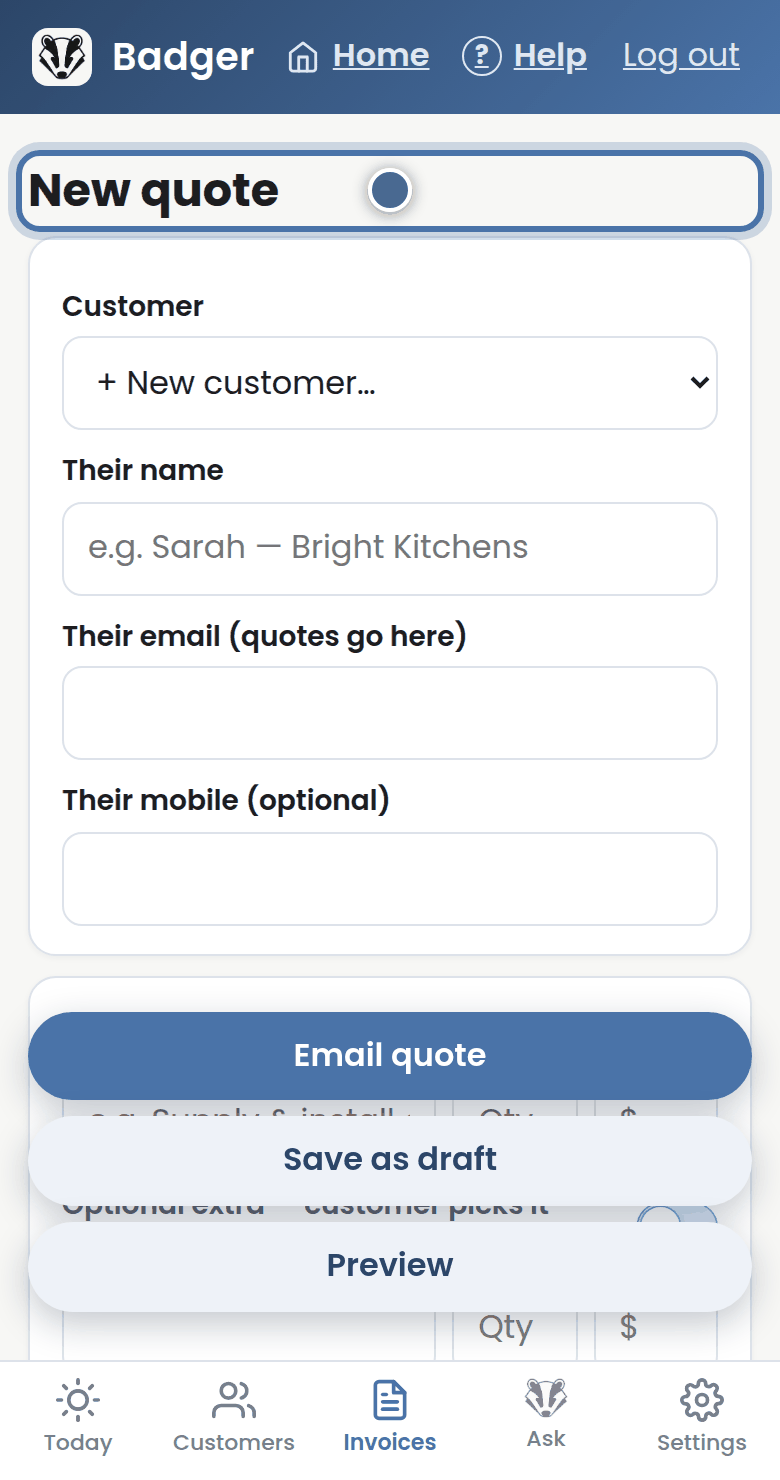
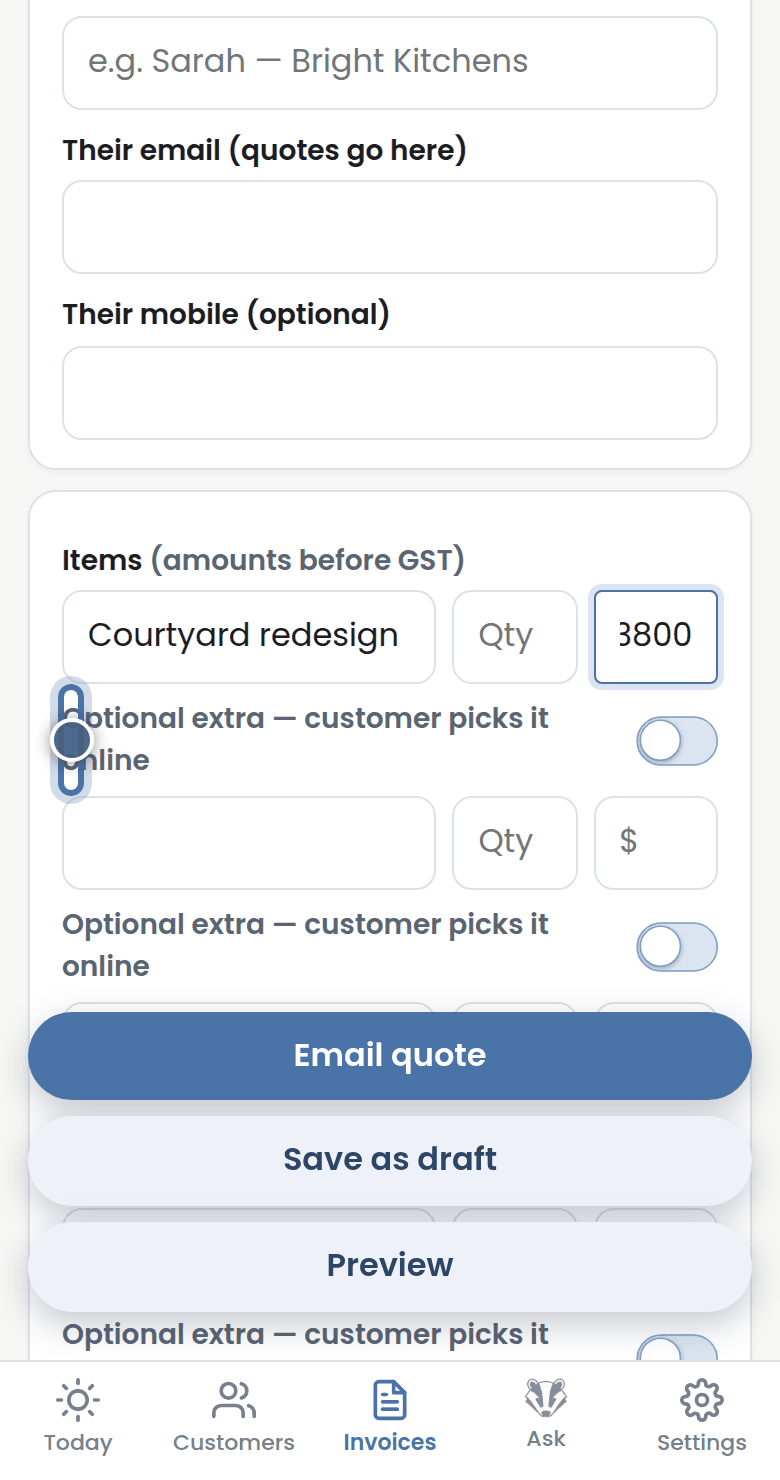
Step 2: Mark a line as an Optional extra and your customer can tick it themselves when they view the quote online.
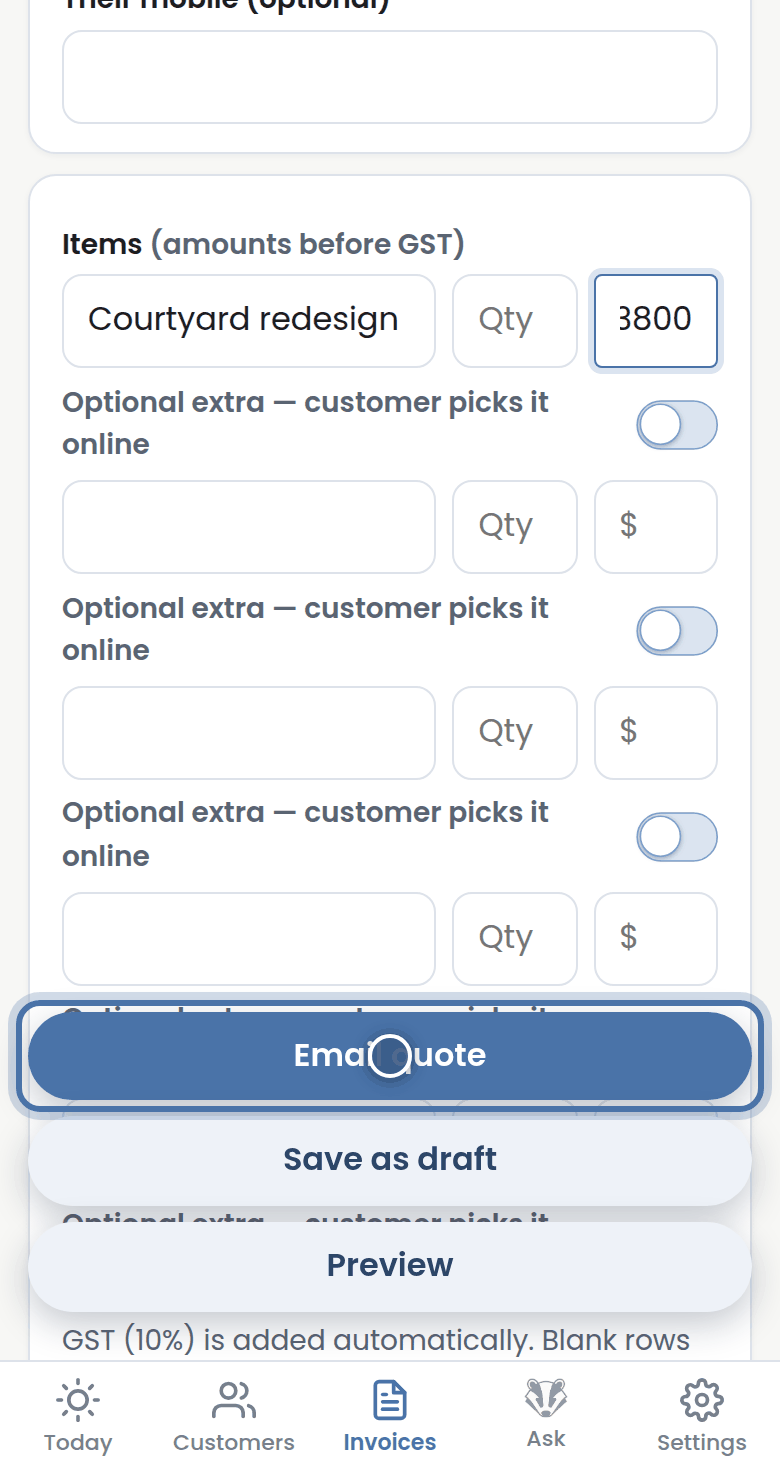
Step 3: Press Email quote and your customer gets a link to read and accept it, right on their phone.
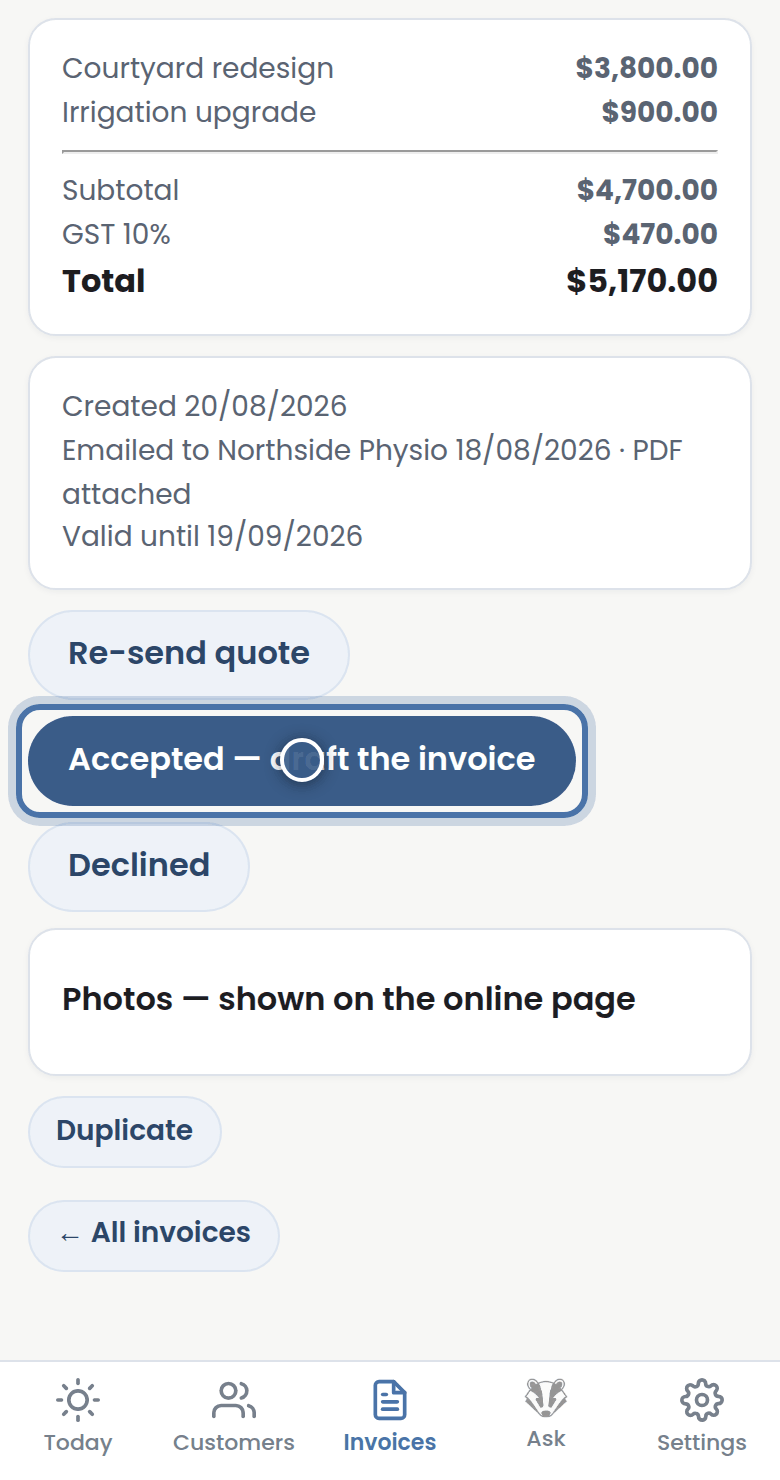
Step 4: When they say yes, press Accepted — draft the invoice, and the quote becomes a ready-to-send invoice.
More tutorials
Getting started with Badger
The Today page
Approving from your inbox
Handling customer replies