 Badger
Handling customer replies
Step 1: When a customer replies and Badger isn't sure, the reply waits under Needs your judgment on the Today page.
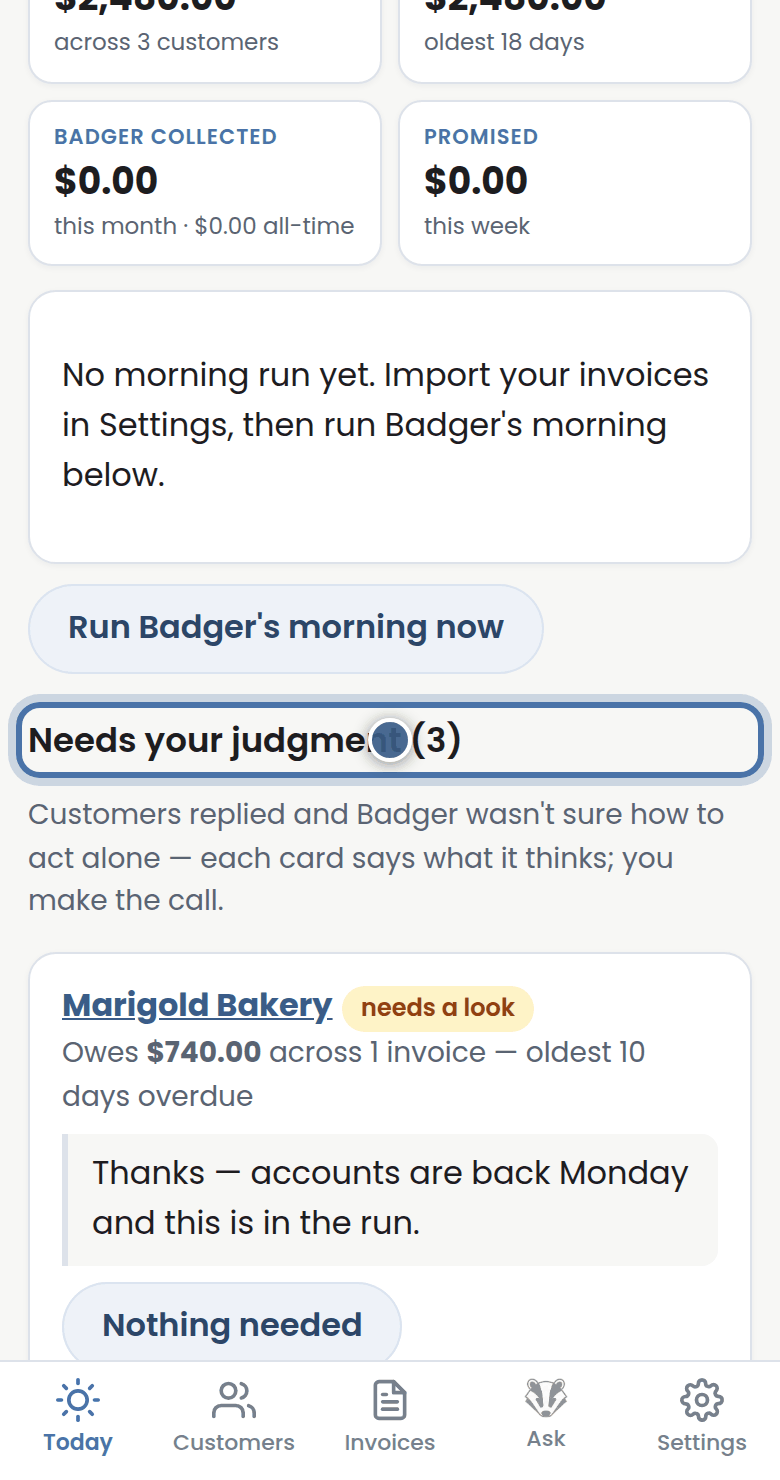
Step 2: Read it. If nothing needs doing, press Nothing needed.
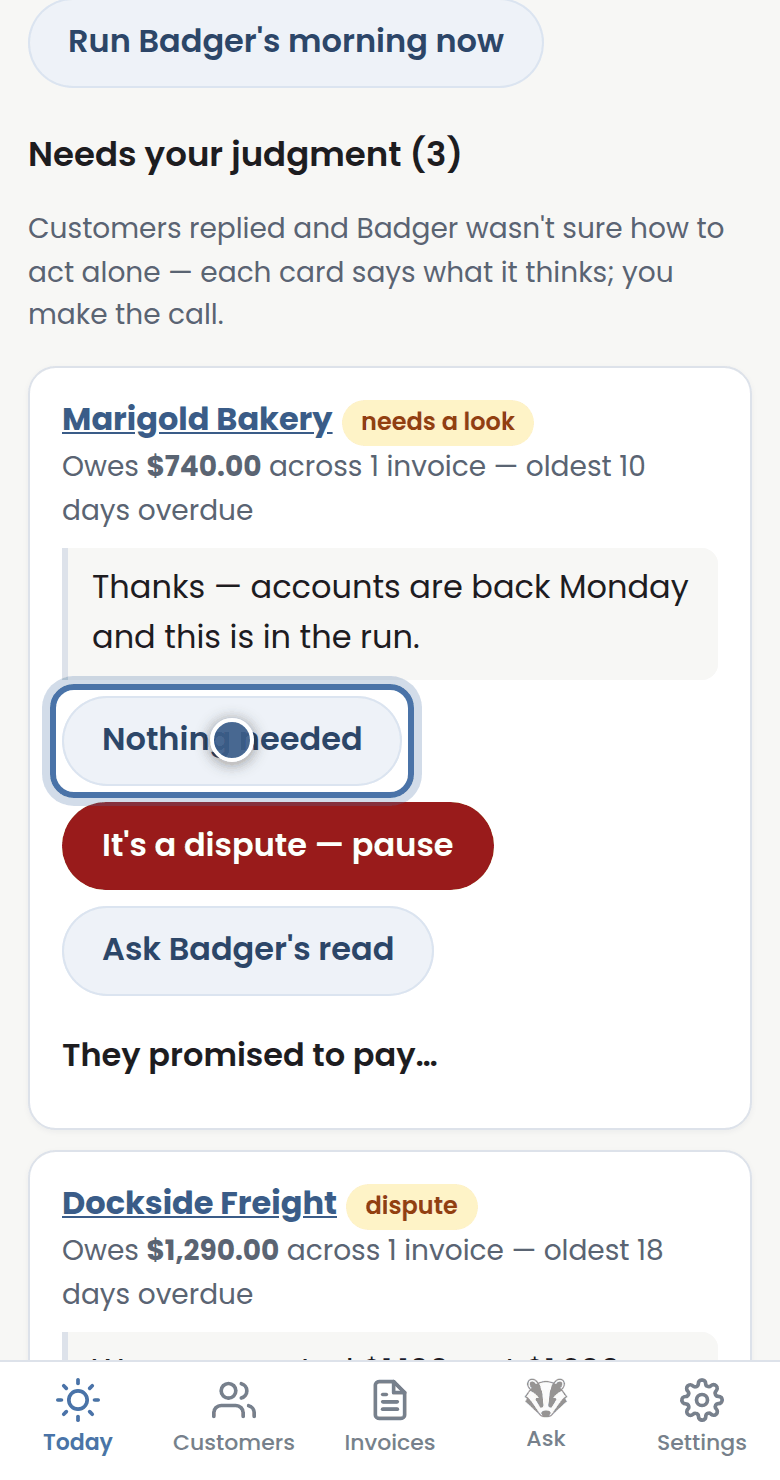
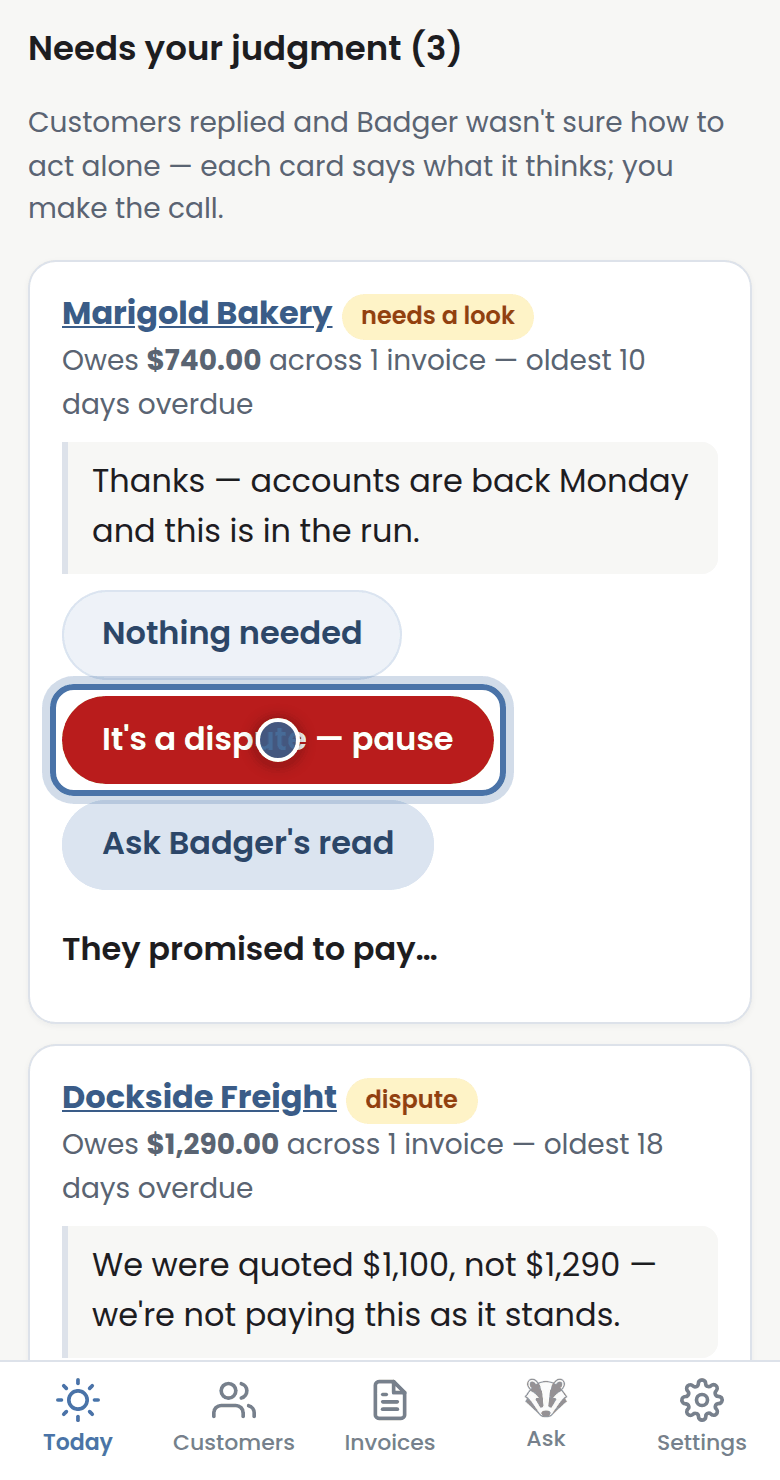
Step 3: If they're disputing the invoice, press It's a dispute. Badger pauses chasing while you sort it out.
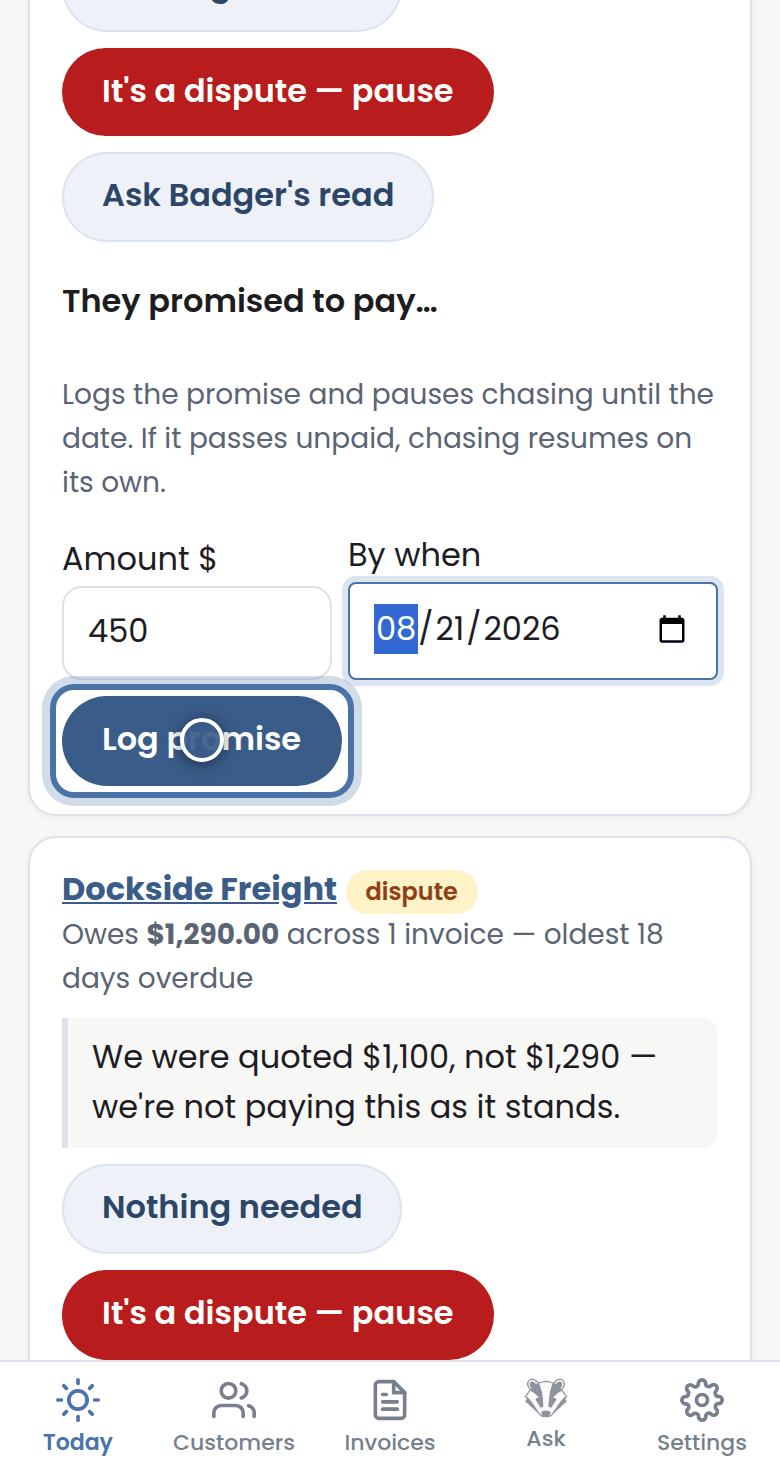
Step 4: If they promised to pay, open They promised to pay, enter the amount and the date, and save. Badger holds off, and only resumes if the promise is broken.
More tutorials
Getting started with Badger
The Today page
Approving from your inbox
Call-backs and Badger's suggestions