 Badger
The Today page
Step 1: Today is Badger's home screen: your morning brief, and everything that needs you.
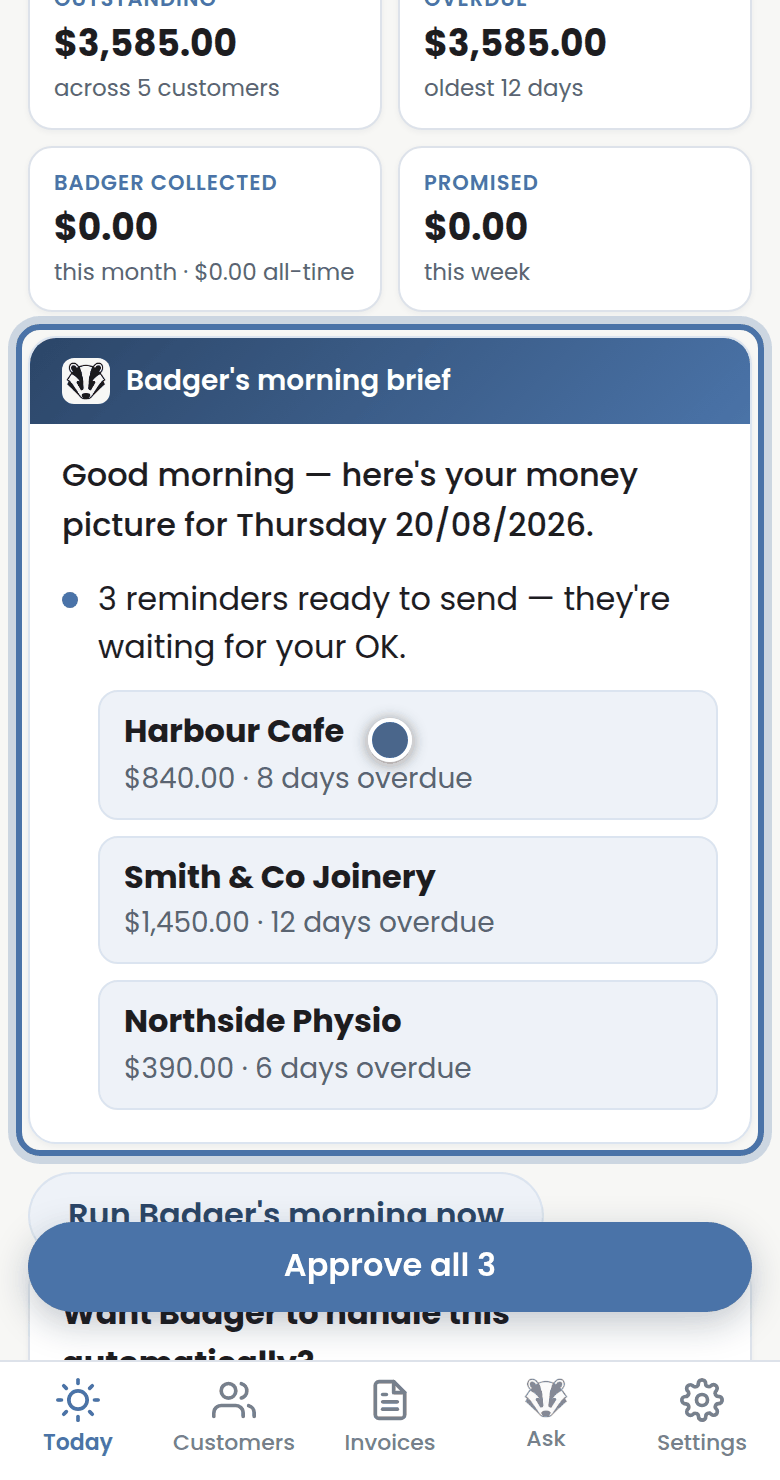
Step 2: Press Run Badger's morning now to refresh the brief and queue today's reminders.
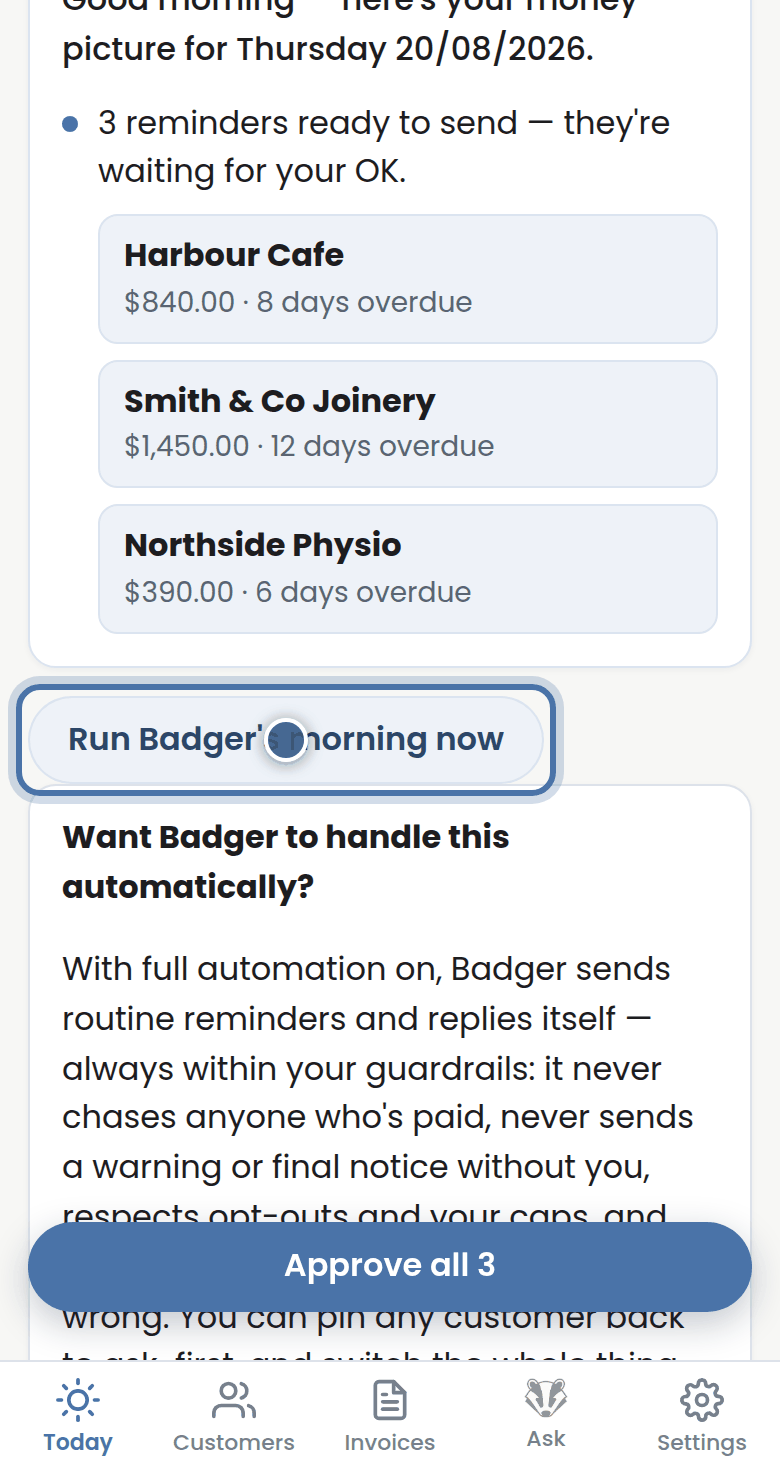
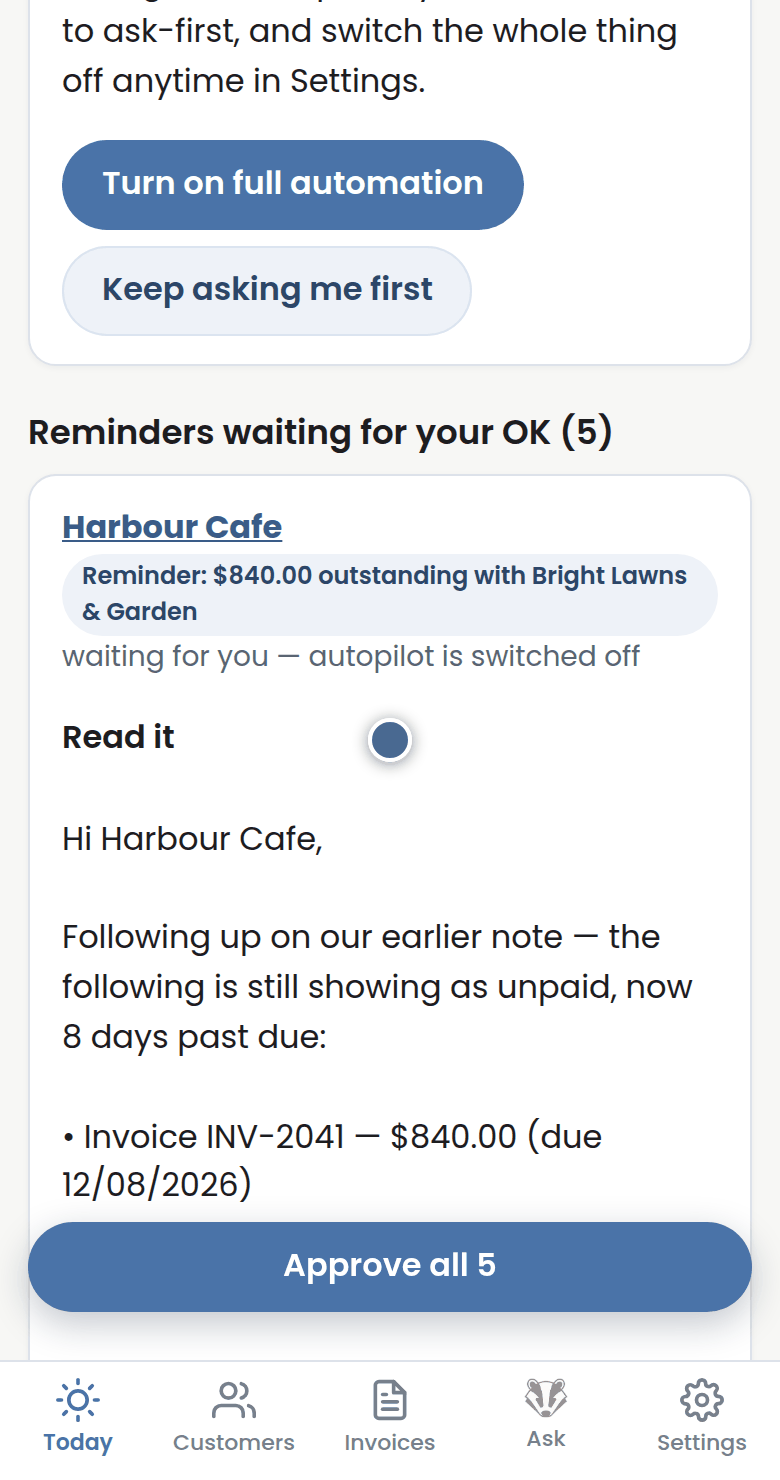
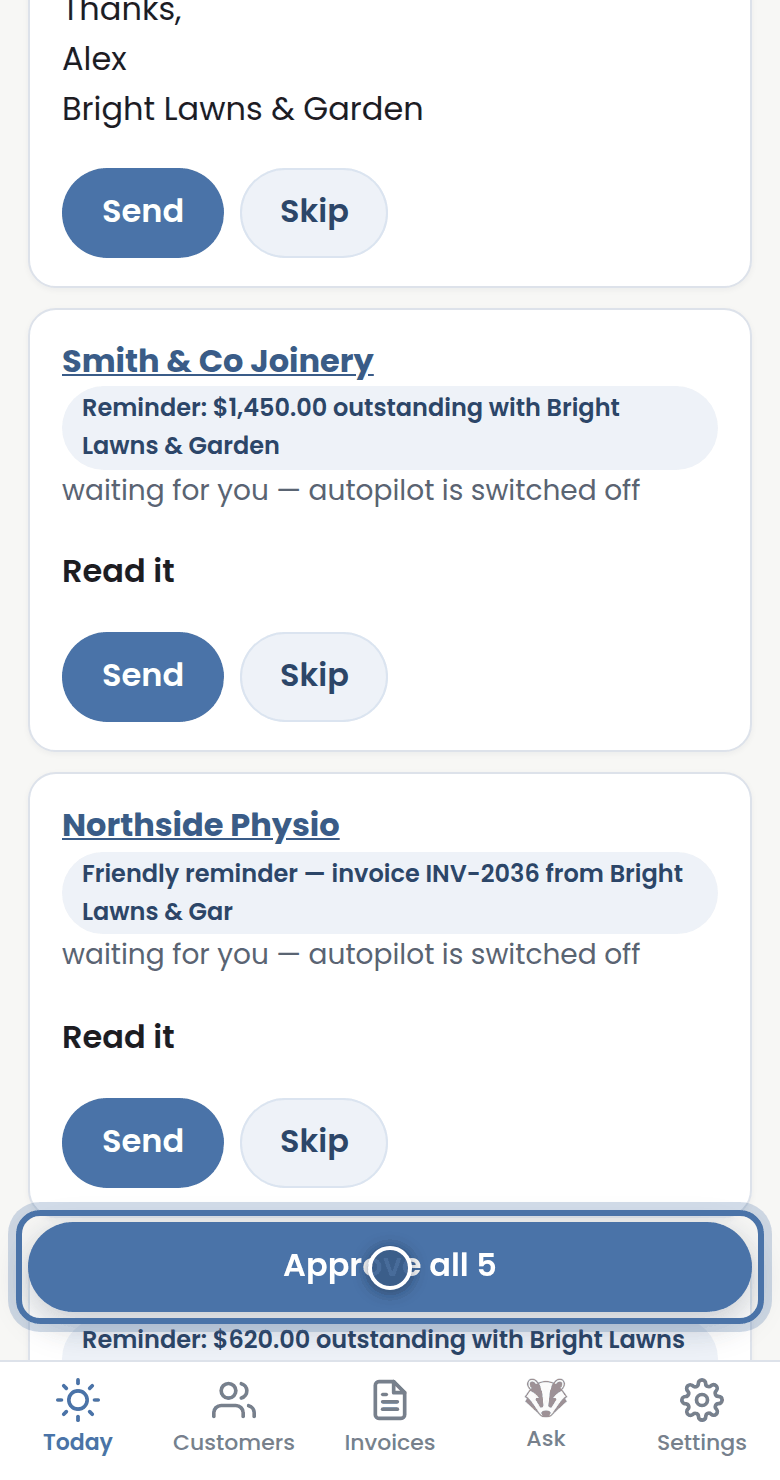
Step 3: Reminders waiting for your OK is your approval queue. Press Read it to see exactly what will go out.
Step 4: Press Send to approve a reminder, or Skip to hold it back for today.
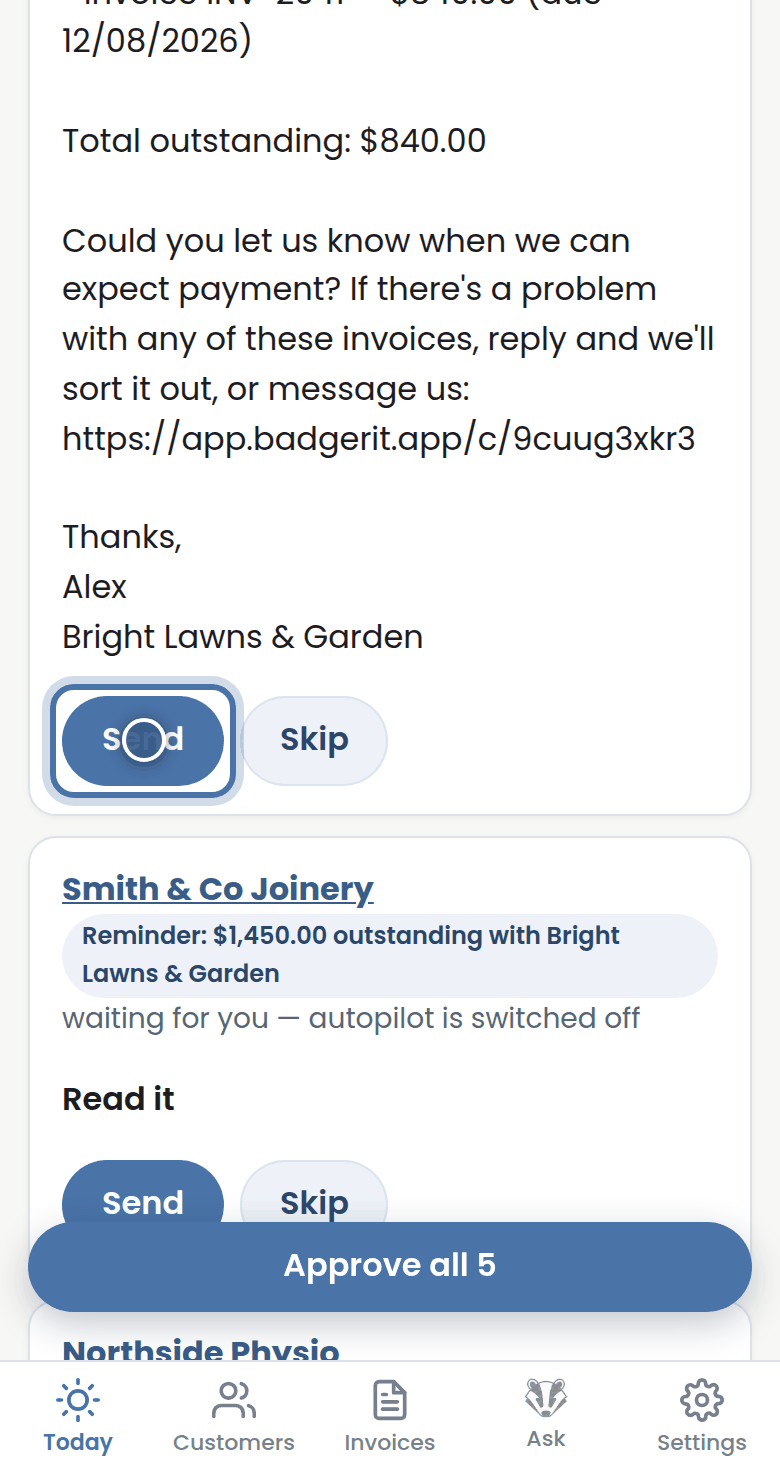
Step 5: When several are waiting, Approve all at the bottom clears the queue in one tap.
More tutorials
Getting started with Badger
Approving from your inbox
Handling customer replies
Call-backs and Badger's suggestions