 Badger
Choosing your automation level
Step 1: Badger starts in Ask me first: every reminder waits for your OK.
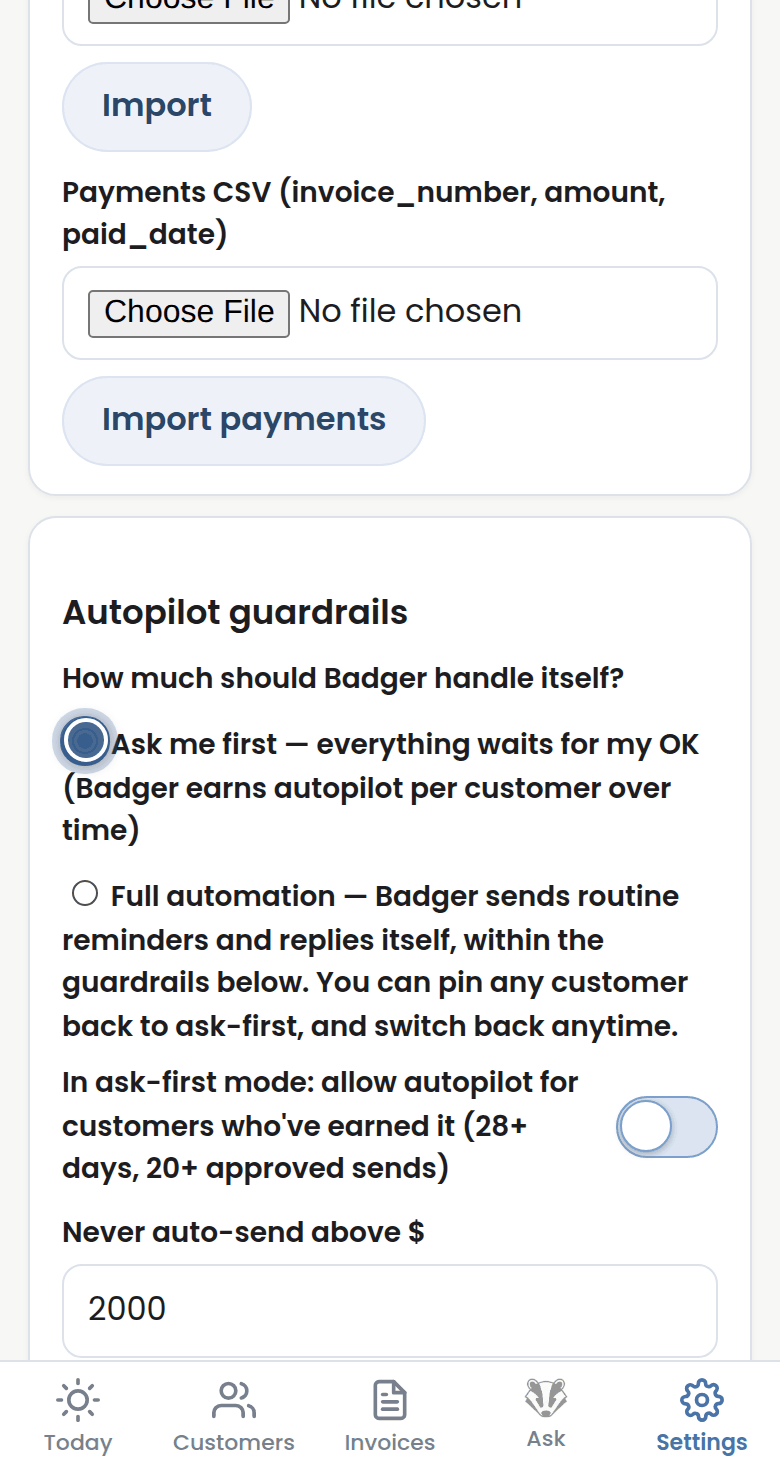
Step 2: In Settings, under Autopilot guardrails, you decide. Full automation lets Badger send routine reminders on its own.
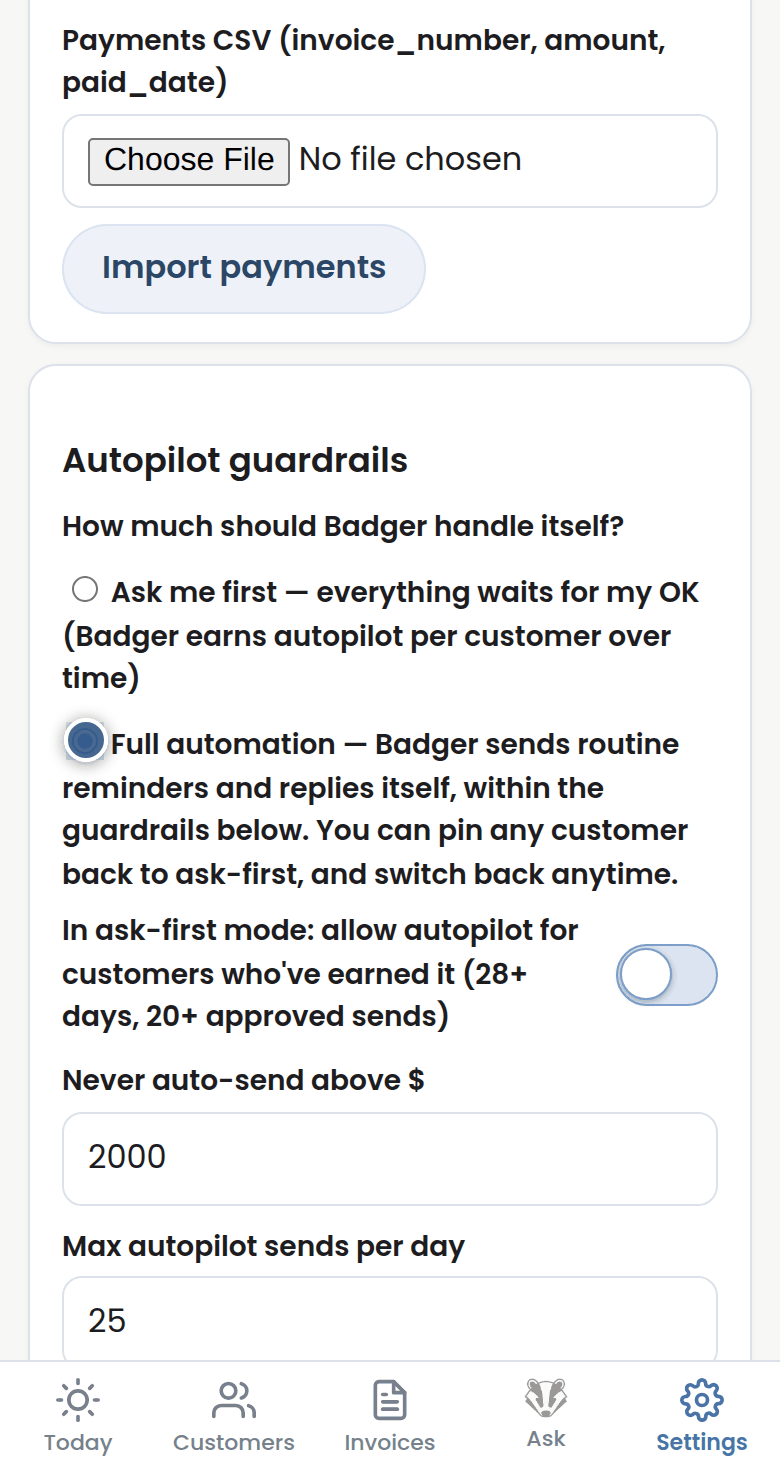
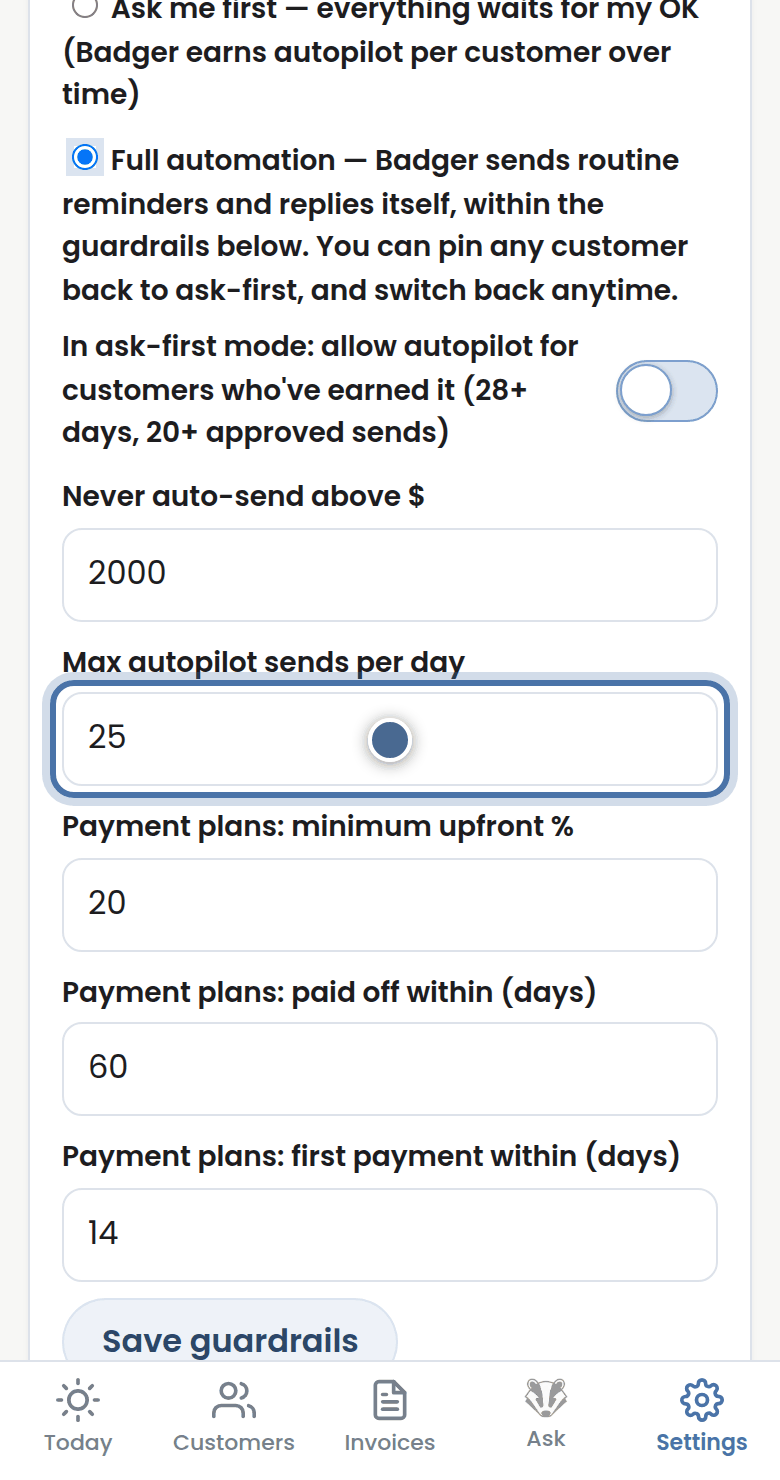
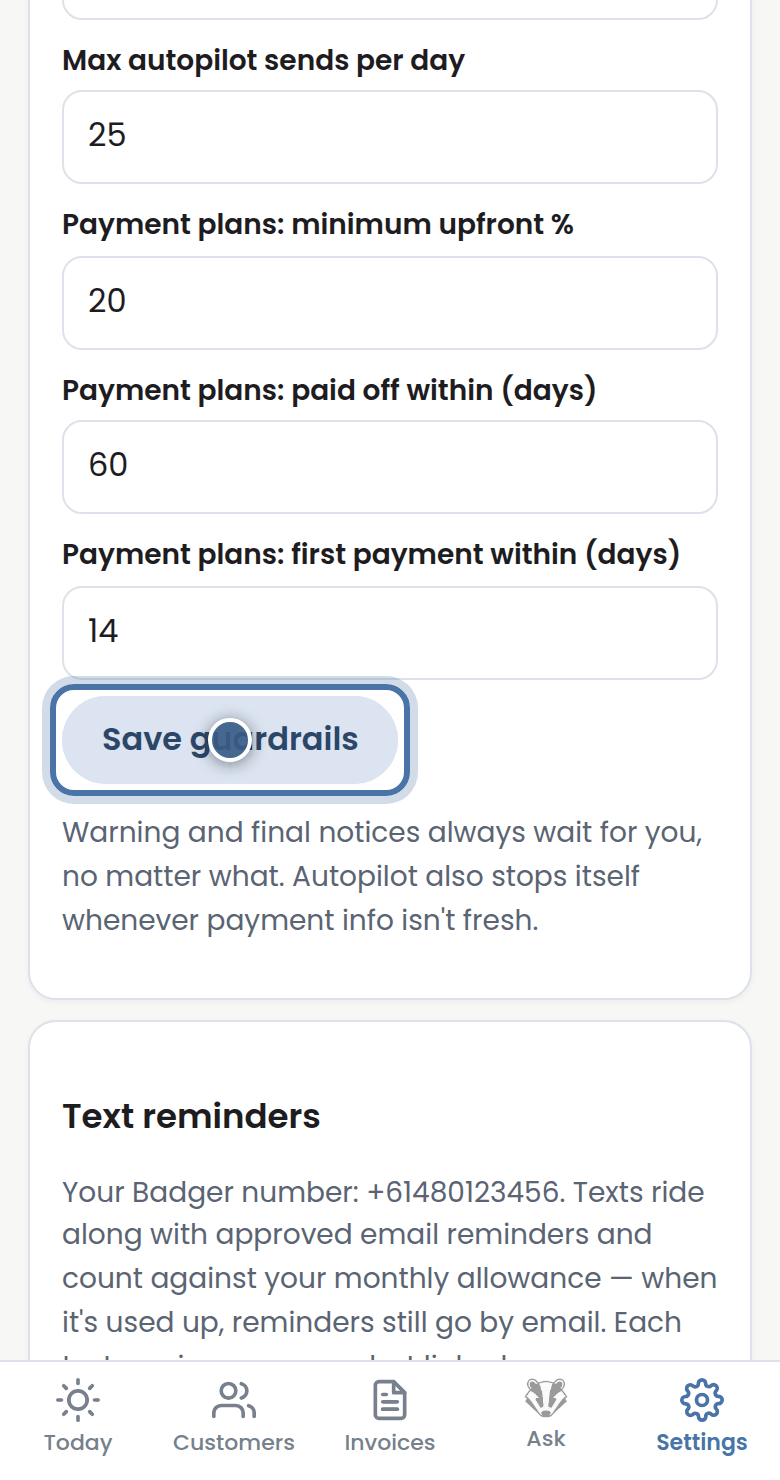
Step 3: The guardrails always apply: never auto-send above your dollar ceiling, a daily cap, and warning or final notices always need a human.
Step 4: You can also let autopilot be earned gradually, or keep any single customer on ask-first. Automation is always your choice.
More tutorials
Getting started with Badger
The Today page
Approving from your inbox
Handling customer replies