 Badger
Sorting out a dispute
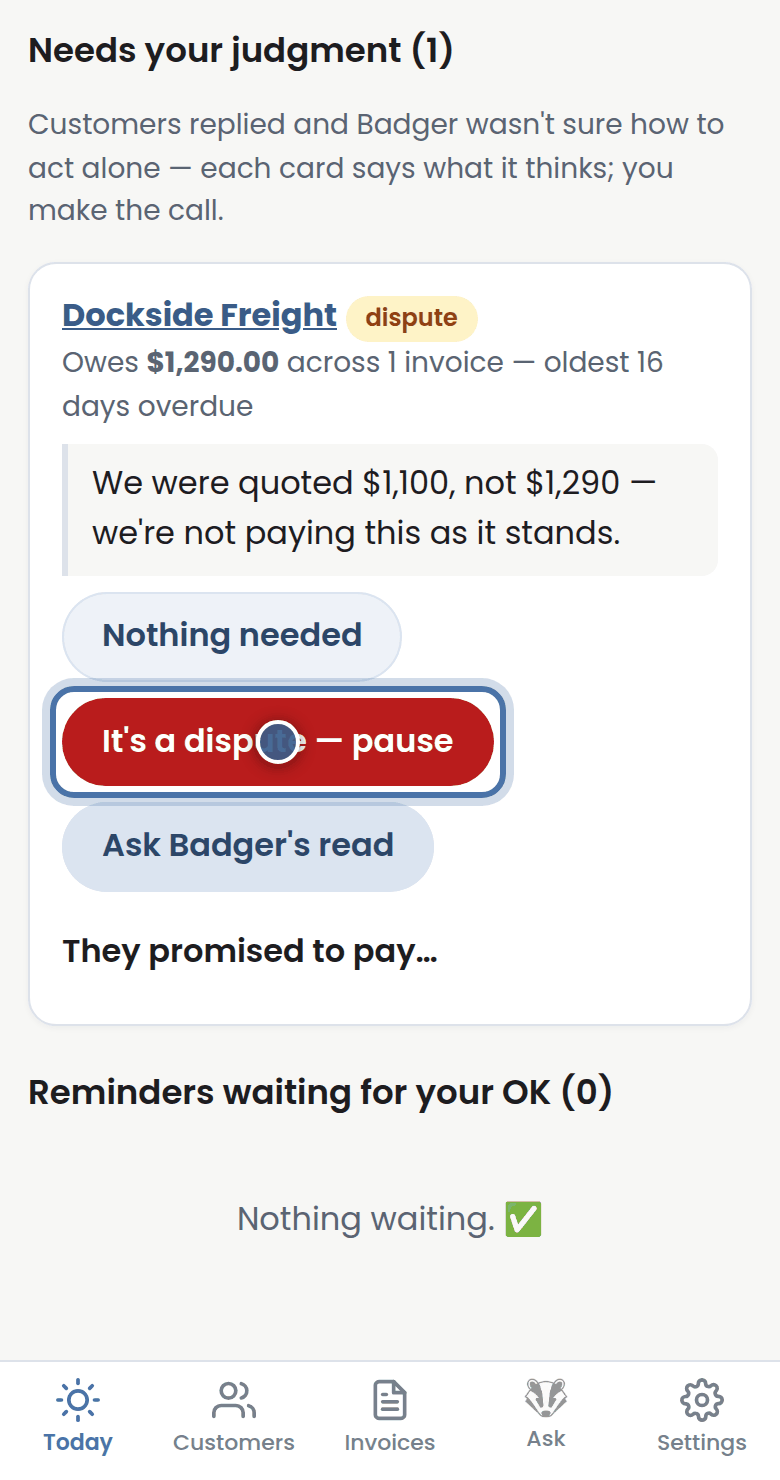
Step 1: When a customer disputes an invoice, press It's a dispute on their reply — Badger pauses chasing straight away.
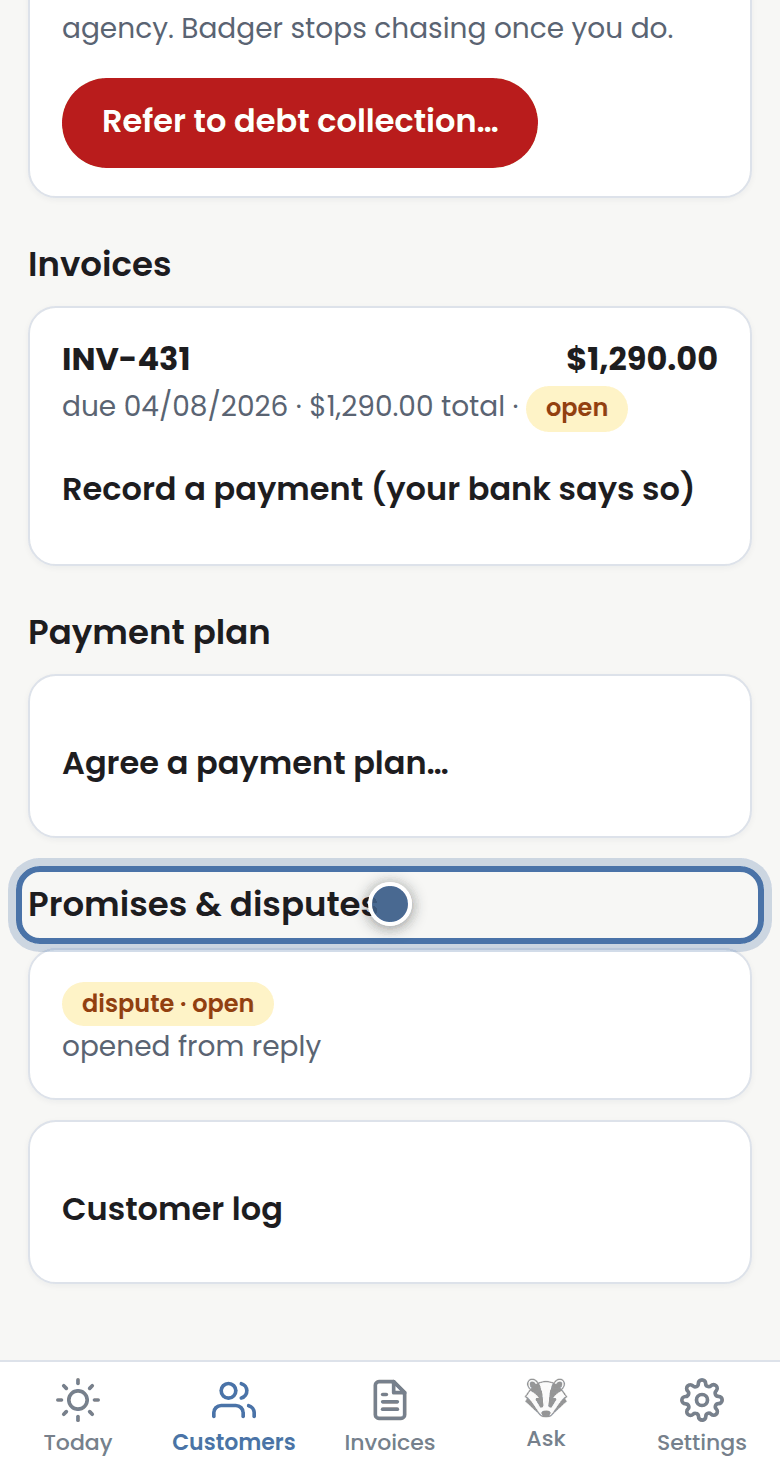
Step 2: The dispute sits on their page under Promises & disputes, so nothing gets forgotten while you sort it out.
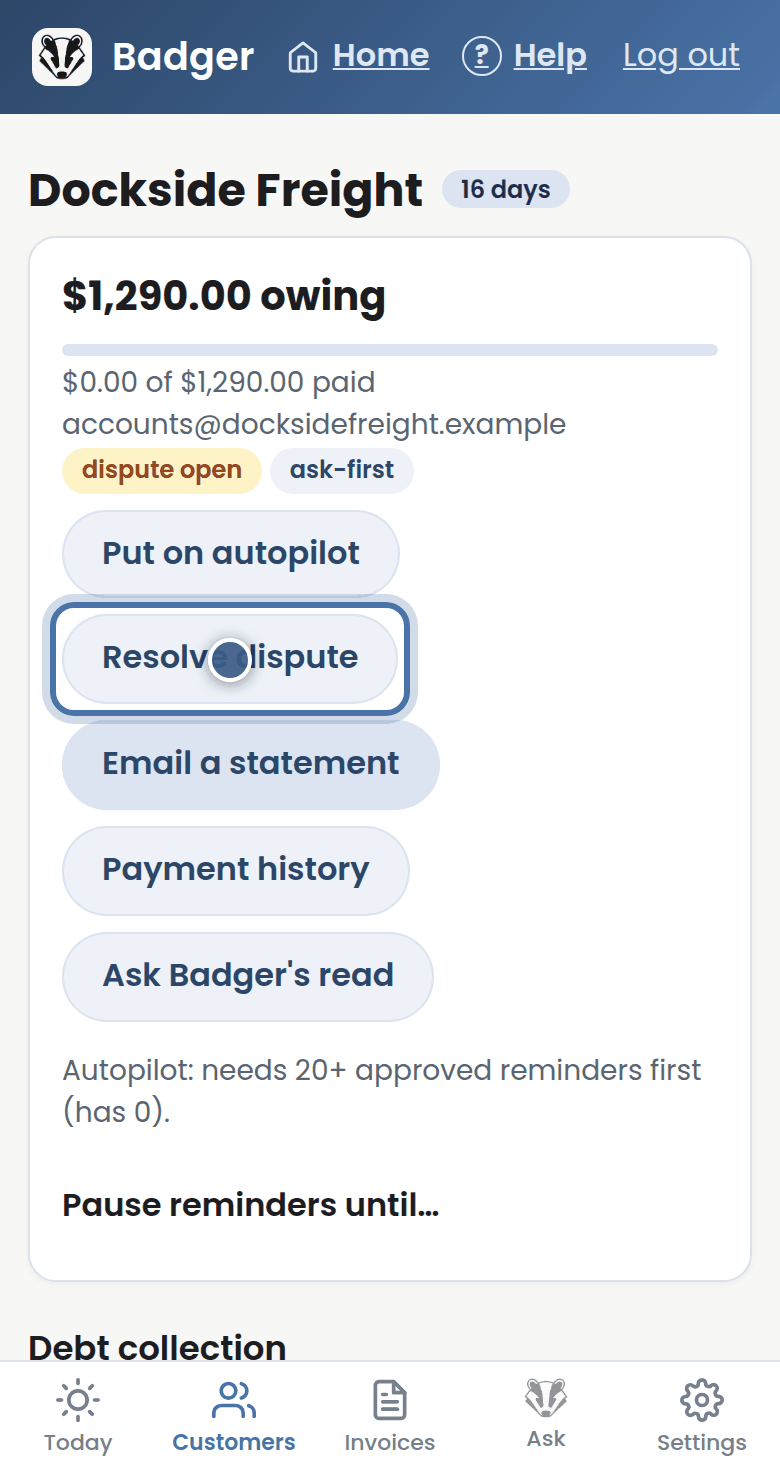
Step 3: When it's settled, press Resolve dispute and Badger quietly picks the chase back up.
More tutorials
Getting started with Badger
The Today page
Approving from your inbox
Handling customer replies